

Email Signature Generator
Free Email Signature Generator (Works in Outlook) — why most generated signatures break on send, and the lean spec that survives every client. Watch on YouTube
The short version
- A consistent branded signature lifts reply rates by about 22% and website clicks by about 15%, and 57% of recipients say it makes them trust the email more.
- Most generated signatures look perfect in the builder and break the second they hit Outlook, dark mode, or a phone. The fix is boring: tables, inline styles, one CTA, small hosted images.
- The generator below outputs that lean, email-safe HTML. Fill the fields, copy, paste into Gmail, Outlook, or Apple Mail.
- Keep the whole block under ~400px wide, one logo, two to four links, exactly one call-to-action. Everything past that costs you replies.
- An email signature is the same trust test as a cold pitch or an Upwork proposal: it either looks legitimate in two seconds or it gets ignored.
A branded email signature is worth roughly a 22% lift in reply rate and a 15% lift in website clicks, according to aggregated 2026 vendor and survey data.1 That only holds if the thing actually renders.
The dirty secret of the email signature generator category is that almost every tool optimizes for how the signature looks inside the builder preview. Image-heavy, full-width banners, a logo the size of a postage stamp app icon. That exact design is what collapses in Outlook, inverts in dark mode, and gets squashed on mobile.
So this is a generator plus the part the other tools skip: why the pretty version breaks, and what a signature that survives the send actually looks like. Build yours first, then I will show you the rules baked into it.
Build your email signature now
Fill in the fields. The preview updates live and the copy button hands you clean, table-based HTML you can paste straight into Gmail, Outlook on the web, or Apple Mail. No account, no watermark, no email capture.
Live preview
Tip: paste with the "Copy signature" button into Gmail/Apple Mail. Use "Copy HTML code" for tools that ask for raw HTML.
Deliverability check
Your signature is a free lead channel you are probably wasting
Every email you send carries the signature at the bottom. For a normal sales or account team that is hundreds of impressions per person per week, and a 100-person company generates somewhere between 60,000 and 80,000 branded-signature views a month with zero media spend.2
That surface does real work. In a Demand Gen Report survey, 57% of recipients named a branded signature as a factor that makes them trust an email from a business, 47% felt more confident about the sender, and 43% thought more positively about the brand.3
The flip side is the part nobody wants to hear. 70% of consumers report being frustrated when a brand omits a signature entirely, because they are scanning that space to confirm the sender is real and not a phishing attempt.3 An absent or broken signature reads as disorganized at best and suspicious at worst.
For agencies and outbound sales people whose cold-email reply rates already sit near 2% to 5%, a fifth more replies is not cosmetic.4 It is the difference between a channel that pays for itself and one that does not. The same discipline shows up in our channel-by-channel reply-rate breakdown and in how B2B outreach actually converts.
Why most generated signatures break the moment you hit Send
Email clients are not browsers. Outlook on Windows still renders mail with the Microsoft Word engine, which ignores large chunks of modern CSS and mishandles margins, padding, and background images.5 Gmail strips external stylesheets and head content and applies its own defaults. Apple Mail is the forgiving one, and it is the smallest share of most B2B inboxes.
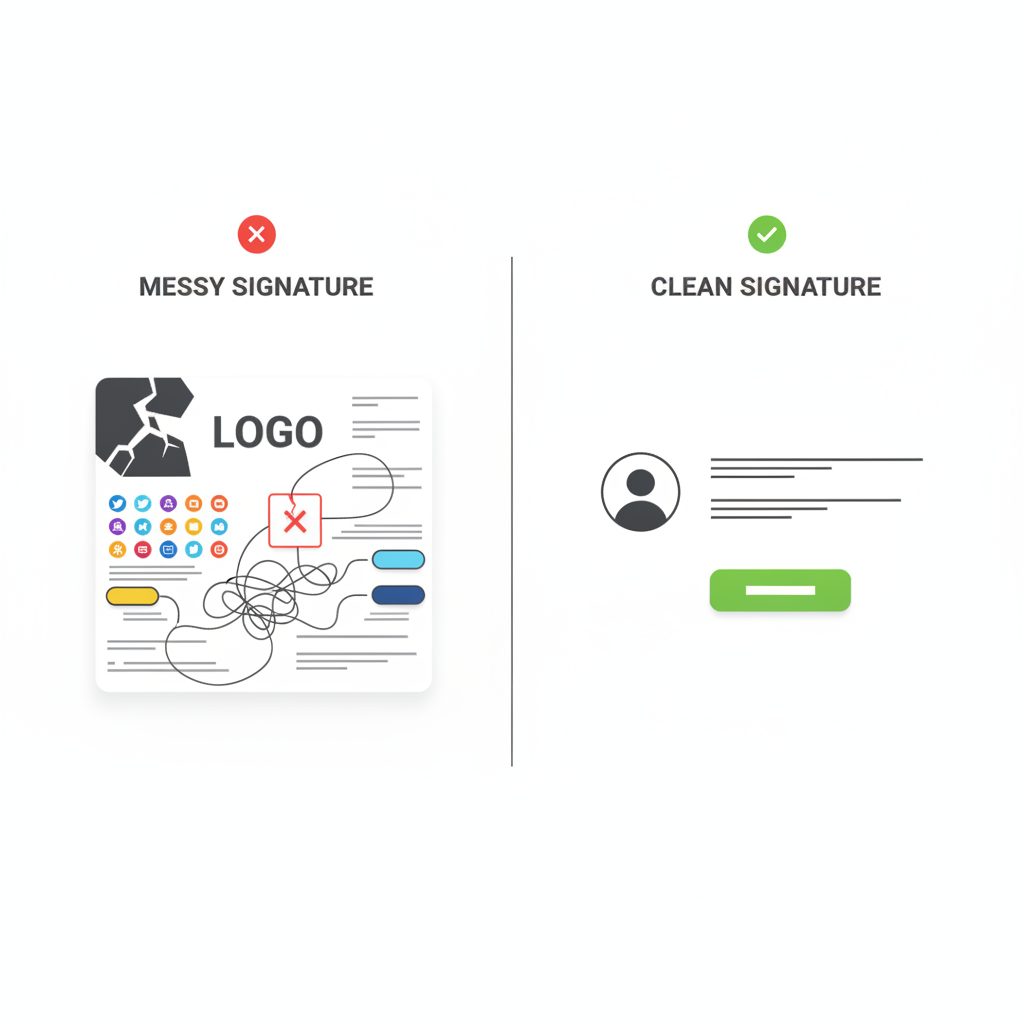
That is why a signature built with flexbox, divs, web fonts, and a 700px banner looks flawless in the generator and falls apart on arrival. The builder preview is a Chrome tab. The inbox is not.
Three failure modes do most of the damage:
Custom fonts deserve their own warning. Most clients ignore font-face declarations outright, and Gmail strips the head content that would load a web font, so anything other than a web-safe stack like Arial, Helvetica, sans-serif silently falls back.6 The generator above uses that exact stack on purpose.
Here is what survives versus what does not, client by client.
| Technique | Outlook (Windows) | Gmail | Apple Mail |
|---|---|---|---|
| Table-based layout + inline styles | Works | Works | Works |
| Div / flexbox layout | Breaks | Partial | Works |
| External or head CSS | Breaks | Stripped | Partial |
| Web fonts (font-face) | Ignored | Stripped | Partial |
| Media queries (responsive) | Ignored | Stripped | Works |
| Background images | Breaks | Partial | Works |
| Hosted img with width + alt | Works | Works | Works |
Support based on email-client rendering guidance from Email Signature Rescue and Twilio. The safe column is the one where every cell reads "Works."
The anatomy of a signature that actually converts
Strip away the decoration and high-performing professional signatures share the same compact skeleton. Width sits around 300 to 400 pixels, the layout stays single-column-safe, and nothing competes with the one action you want.
About 52.6% of people already include a CTA in their signature, and the data is blunt about which ones work.1 Specific, value-anchored buttons such as "See the 3-minute walkthrough" beat generic "Learn more" or "Click here" links by two to three times on click-through.7
If you run a banner CTA, rotate it every four to eight weeks. Engagement on a fixed banner decays 30% to 50% over six months as recipients learn to ignore it.7
One legal note that quietly matters: if your email is commercial, CAN-SPAM requires a valid physical postal address somewhere in the message.8 Heavy senders usually park it in a small footer line under the signature.
Five signature mistakes that quietly kill your replies
None of these throw an error. They just shave points off every send until the channel underperforms and nobody can say why.
One big graphic for the whole block means recipients cannot copy your text, it blurs on retina screens, it fails in dark mode, it only supports a single link, and it tanks your text-to-image ratio.9
Images spanning 600 to 800 pixels or over 100KB force clients to scale and crop, and mobile apps compress them into squashed, misaligned messes. Keep logos near 100x100px and banners 70 to 100px tall.10
GIFs are an inefficient format that balloons file size and renders inconsistently. Many clients show only the first frame anyway, so a static banner with a clear CTA almost always wins on performance-to-risk.11
Every phone number, eight social icons, a personal quote, and a four-paragraph legal disclaimer. The more you stuff in, the more you dilute the name, the contact, and the one action that matters.9
HTML copied out of Word, Canva, or a generic web tool carries non-email-safe markup that breaks on arrival. Use the raw HTML the generator gives you, not a screenshot of the preview.12
If your team runs cold campaigns, a heavy signature is also a deliverability tax. Pair a lean signature with a warmed-up domain. See our breakdown of email warmup tools and how Smartlead and Instantly compare for sending teams.
How to install your signature without breaking it
Generators give you the HTML. The install is where people lose the formatting. The rule across every client is the same: copy the rendered signature or the HTML code, never a screenshot of the preview.
Settings, then See all settings, then General, then scroll to Signature. Click "Copy signature" above, paste into the box, and save changes at the bottom.
Settings, then View all Outlook settings, then Mail, then Compose and reply. Paste into the signature editor and save.
Mail, then Settings, then Signatures. Uncheck "Always match my default message font," then paste the rendered signature. Copying from Chrome is more reliable than Safari, which can mangle image references.
Send yourself an email from each client you use. Open it on your phone. Reply to it. Signatures routinely look fine in the compose window and break on send, so the only real check is a delivered message.
Free for Upwork agencies
A clean signature wins the second impression. We win you the first.
GigRadar runs a real Upwork Business Manager that submits proposals on your agency's behalf, so your team spends its time on the clients who reply, not on bidding. Book a free agency audit and we will show you where your pipeline leaks.
Get your free agency audit →Why an agency should care about a signature at all
A signature and an Upwork proposal are the same trust test in two different windows. Both get two seconds, and both either look legitimate or get skipped.
The agencies that win consistently are the ones that systematize that first impression instead of improvising it.
That is the whole job at GigRadar. We operate a real, human-staffed Upwork Business Manager account, and your agency invites it through Upwork's official invitation flow, the same way you would onboard a hired bidder. Proposals submit from our Business Manager under our team's review, your own account is never touched, and you get to spend your hours on the replies instead of the busywork.
The signature you just built does the same thing for your outbound email that a tight proposal does for your Upwork pipeline. It makes the person on the other end believe you are worth answering. If you want help fixing the part of the funnel before the reply, that free agency audit is where to start, and coordinating email, LinkedIn, and Upwork is the next lever after the signature.
Email signature generator FAQ
Is this email signature generator actually free?
Yes. There is no account, no watermark, and no email capture. You fill in the fields, copy the signature or the HTML, and paste it into your email client.
Will the signature work in Outlook, Gmail, and Apple Mail?
Yes. The output is built from tables and inline styles with a web-safe font, which is the only combination that renders consistently across Outlook on Windows, Gmail, and Apple Mail. Avoid div or flexbox layouts and web fonts, which Outlook and Gmail mishandle.
Should I use an image for my whole email signature?
No. An all-image signature blocks text selection, blurs on high-resolution screens, fails in dark mode, supports only one link, and hurts your text-to-image ratio, which can raise spam suspicion. Use HTML text with one small hosted logo or headshot instead.
How big should my logo or headshot be?
Keep it around 100x100 pixels or smaller and under roughly 30 to 50KB, hosted on a public URL with descriptive alt text. Oversized images get scaled and cropped by email clients and compressed on mobile.
How many links should an email signature have?
Two to four, with LinkedIn as the default, plus exactly one call-to-action button. More links dilute the click you actually want and add spam-filter weight.
Why does my signature look fine when I make it but break when I send it?
The builder preview renders in a browser, but the inbox does not. Outlook uses the Word rendering engine and Gmail strips external CSS, so layout and fonts that rely on modern CSS collapse on arrival. Always send yourself a test from each client and check it on mobile.








