

How to Ask Upwork Clients for Feedback (Without Sounding Desperate)
🎬 How to Ask Upwork Clients for Feedback. The exact close-the-contract sequence and the message templates that get reviews left. Watch on YouTube
TL;DR
- The fastest way to get a review is to ask the client to end the contract. Upwork prompts them to leave feedback as part of closing it.
- Ask the moment they confirm the work is accepted, not days later. The window of goodwill is short.
- Keep the message to two sentences: thank them, then point them to the close-and-review step. Never ask for "five stars."
- A 5-star public review with weak private feedback still drags your Job Success Score. Coach the close before they fill out the form.
- If the project went sideways, fix the gap first, then ask for an honest review. One clean ask, one optional reminder, then stop.
- Use the generator below to build the exact message for your situation, then copy it into Upwork chat.
To ask an Upwork client for feedback, send one short message the moment they accept the final deliverable: thank them, then ask them to end the contract so they get prompted to leave a review. That single step does most of the work. Upwork's own end-contract flow asks the client to rate you, so the ask is really "please close this out" rather than "please review me."
Most freelancers get this wrong in the same way. They wait a week, then send a long paragraph apologizing for bothering the client and begging for "5 stars." That message reads as needy, and it violates Upwork's rules about pressuring reviews. The version that works is shorter, faster, and points the client at a button instead of asking them to compose praise from scratch.
This guide gives you the exact sequence, four copy-paste templates for different scenarios, and the one thing about your Job Success Score that almost nobody tells you when they explain how to request a review on Upwork. Reviews are also the fuel for getting Top Rated, so the habit pays off twice.
Free Interactive Tool
Feedback-Request Message Generator
Pick your situation, drop in the client's name, and copy a ready-to-send Upwork message. No "please give me 5 stars." Every variant is written to stay inside Upwork's review rules.
Why "Can you end the contract?" beats "Can you leave a review?"
Here is the tactic experienced freelancers use and beginners miss. You do not ask for a review directly. You ask the client to end the contract.
When a client closes a contract on Upwork, the End Contract form asks them to leave a public star rating and private feedback as part of the flow. The review is built into the close. So instead of asking someone to go find your profile and write something, you are pointing them at a step they were going to take anyway.
"Just ask the client to end the contract at their convenience, and nothing more. They will be prompted to leave feedback in order to close the contract." Upvoted advice on r/Upwork, "Is it acceptable to politely ask a client to leave feedback?"
If the client has gone quiet and will not close the contract, you can end it from your side and leave feedback for them first. Upwork then gives them 14 days to reciprocate, and because the system is double-blind, your review stays hidden until they leave theirs or the window closes. Receiving feedback from you nudges many clients to return the favor.
The 14-day feedback window runs on UTC time, not your local clock. If you are timing a close around a client's "I'll do it this weekend," know that the deadline is midnight UTC on the final day. Source: Upwork Help Center.
Ask Upwork's way: appreciate, don't demand
Upwork publishes its own guidance on this, and it is stricter than most freelancers realize. You can ask for honest feedback. You cannot ask for a specific rating, and you cannot pressure.
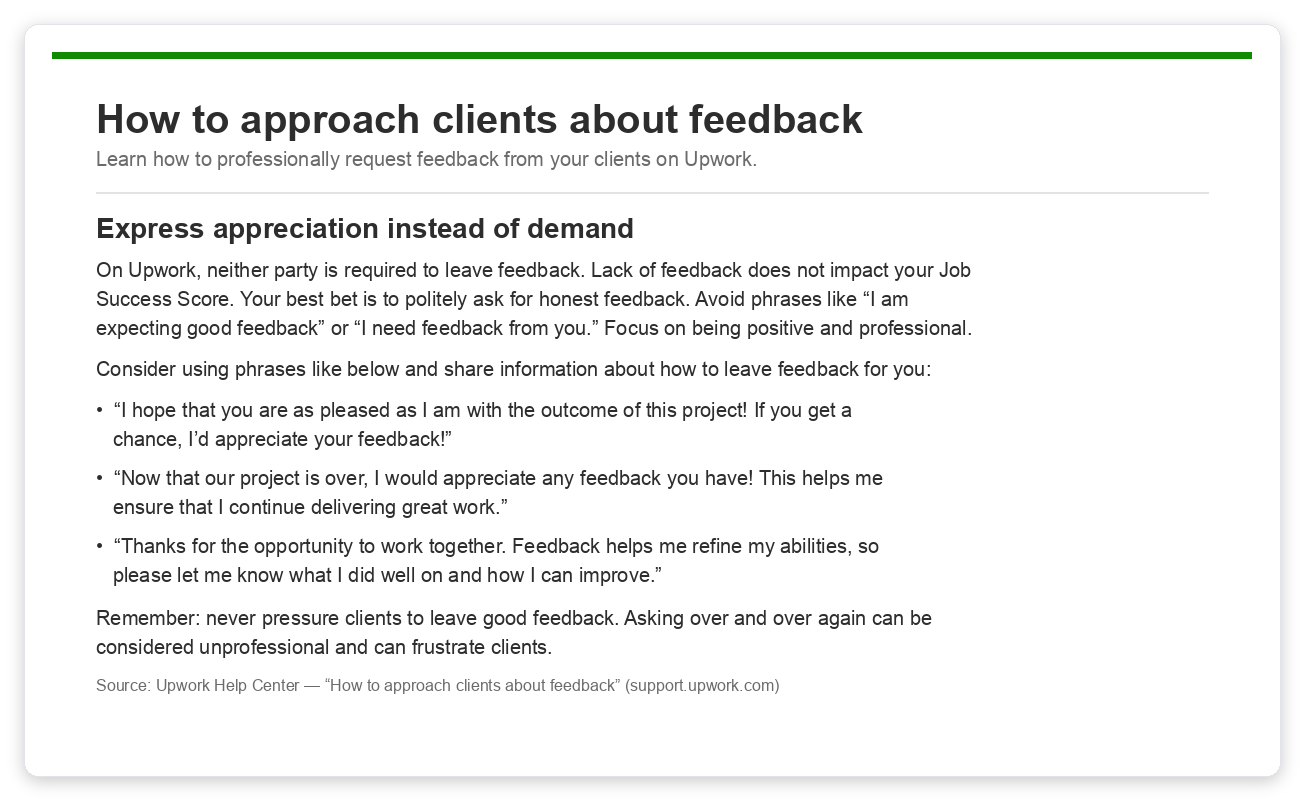
The pattern in every approved phrasing is the same: express appreciation, then make the request small and optional. "If you get a chance, I'd appreciate your feedback" passes. "I need feedback from you" does not.
Never offer a discount, refund, bonus, or future favor in exchange for a review. That is review manipulation, it is against Upwork's terms, and it can get an account suspended. Ask for an honest review or none at all.
The 5-star trap: public looks perfect, private quietly hurts your JSS
This is the part that blindsides freelancers. A client can leave you a glowing public 5-star review and still tank your Job Success Score through the private feedback you never see.
When a contract closes, the client fills out two things: the public stars and comment everyone sees, and hidden private feedback you never see. That private feedback is a major input into your JSS, so a lukewarm private answer takes your score down even when the public review is flawless. Upwork no longer publishes the wording or the scale it uses for that question, so ignore the 0 to 10 recommendation script that older guides still quote. As we break down in how the Upwork algorithm ranks proposals, what matters is that a merely satisfied client is not the same as a delighted one in Upwork's eyes.
GigRadar's Agency Success course covers this directly in its Feedback Mastery lesson. The takeaway: do not just hope the client picks the right options. Politely walk them through the close so the private signals match the public praise.
🎥 From GigRadar's Agency Success Course: the Feedback Mastery lesson on protecting your JSS at contract close.
When you ask the client to close the contract, it is fair and within the rules to mention what each field means. For "reason for ending," the honest, JSS-safe answer on a finished project is Project completed successfully. For language, if your English is fluent, Fluent matters: Upwork ranks partly on verified language, and anything lower can hide you from some clients' searches.
Upwork's review AI (Uma) scans the words in public feedback. When a client asks "what should I write?", suggesting they mention concrete things like responsive, professional, or the specific skill you delivered helps your profile surface for those terms. You are not scripting praise, you are reminding them what actually happened.
Timing: ask at the peak, not the post-mortem
Clients are likeliest to leave a great review right after a clear win. The moment the acceptance criteria are met and they say "looks great," the goodwill is at its highest. Wait a week and that feeling fades into the next thing on their plate.
So anchor the ask to the win, not the calendar. The clean sequence looks like this.
Confirm "done" in their words
Restate the acceptance criteria the client used, so the finish line is explicit and agreed.
Hand over a tidy wrap-up
A short Loom walkthrough or a links-and-checklist message makes you look organized and gives the client an easy "yes, this is complete."
Ask if anything is missing
This surfaces silent dissatisfaction before it becomes a private-feedback ding. Fix any gap now.
Ask them to end the contract and review
Once they confirm it is complete, send the close-and-review request. This is where the generator above earns its keep.
Four templates you can paste into Upwork chat right now
These are short on purpose. A busy client skims on a phone, and a two-line message gets answered while a paragraph gets ignored. Swap in the client's name and send. For off-platform testimonials, Upwork also lets you collect reviews from non-Upwork clients through your profile's testimonials section.
1. Smooth project: the standard ask
2. Rough project: honest, no spin
3. Gentle reminder: they forgot
4. Mid-contract ask: long ongoing engagement
You can request a review without ending an ongoing contract if it started at least 30 days ago, the client paid within the last 30 days, and they have not left feedback in the last 30 days. Use the Request Feedback button in the Contract Workroom. Note: mid-contract feedback shows in your work history but does not move your JSS. Source: Upwork Help Center.
The mistakes that turn a fair review into a bad one
Asking the wrong way does more damage than not asking. Here is what to do and what to avoid when you request a review on Upwork.
| What you do | How the client reads it | Verdict |
|---|---|---|
| "If you get a chance, I'd appreciate honest feedback" | Polite, low-pressure, easy to say yes to | ✅ Works |
| "Please leave me 5 stars" | Demanding a rating, against Upwork rules | ❌ Violation |
| Asking once, then one optional reminder | Respectful of their time | ✅ Works |
| Messaging three or four times | Badgering, comes off as unprofessional | ❌ Backfires |
| Asking right after they accept the work | Natural, momentum is high | ✅ Works |
| Asking two weeks later out of the blue | "Who is this again?" The window closed | ❌ Too late |
| Offering a refund "if you leave a review" | Bribery for feedback | ❌ Bannable |
If the review still comes back bad
Sometimes you do everything right and the feedback is still rough. Stay calm. A single 4.x does not end your career, and you have real options before you panic. Upwork's own guide to handling a bad review walks through the same playbook.
Ask for a change, privately
A client can edit public feedback once if you enable the option, and they have 14 days to do it. Resolve the real issue first, then ask. Note: the private score cannot be edited (Upwork).
Write a professional response
Your reply appears under the client's comment for 28 days after the contract ends. Future clients see your side, so keep it calm and factual (Upwork feedback rules).
Report it only if it breaks the rules
Upwork removes feedback that is abusive, irrelevant, or fraudulent. It will not remove an honest bad review. Reserve reporting for genuine policy violations.
For the full recovery playbook on a damaged rating, including how a single 1-star contract ages out of the JSS windows, see our deeper guide on Upwork client feedback and JSS and the broader breakdown of how to ask for reviews on Upwork.
Free for Upwork agencies
More closings means more reviews
Reviews compound only when you keep landing the right contracts. GigRadar scans Upwork for jobs that fit your agency, drafts the proposals, and submits them through a managed Business Manager account so your pipeline stays full and your review count keeps climbing.
Get Your Free Agency Audit →The short version
Asking for feedback on Upwork is not about clever wording. It is about timing and a button. Catch the client at the moment of acceptance, point them to close the contract, and let Upwork's review prompt do the asking for you.
Keep it to two sentences, never demand a rating, and coach the close so the private feedback matches the public praise. Do that on every contract and your Job Success Score climbs as a byproduct of just finishing work well.
Win confirmed → wrap-up sent → "anything missing?" → "could you end the contract?" → review left. Upwork's client feedback help page backs every step of this.
Frequently asked questions
How do I ask an Upwork client for feedback?
Send a two-sentence message right after they accept the work: thank them, then ask them to end the contract on their side. Upwork prompts them to leave a review as part of closing it, so the ask is really "please close this out."
When is the best time to ask for a review on Upwork?
Immediately after the client confirms the deliverable is accepted, while goodwill is highest. Waiting a week lets the positive feeling fade and lowers your odds of getting a review at all.
Can I ask a client to give me 5 stars?
No. Upwork lets you request honest feedback but bans asking for a specific rating or pressuring clients. Offering anything in exchange for a review can get your account suspended.
How does client feedback affect my Job Success Score?
Three things feed your JSS at contract close: the public star rating, the hidden private feedback the client files, and the reason the client selects for ending the contract. A perfect public review with a low private score can still pull your JSS down.
What if the client never closes the contract?
End it from your side and leave feedback for the client. Upwork gives them 14 days to reciprocate, and because the system is double-blind, your review stays hidden until they respond or the window closes.
Can I ask for feedback in the middle of a long contract?
Yes, if the contract is at least 30 days old, the client paid in the last 30 days, and they have not left feedback in the last 30 days. Use Request Feedback in the Contract Workroom. It shows in your work history but does not affect your JSS.
What should I do if I get a bad review?
Resolve the underlying issue, then ask the client to edit the public feedback (they can change it once within 14 days if you enable it). You can also post a professional response that future clients will see. Only report feedback that is abusive or violates Upwork's rules.








