

TL;DR
- Upwork's Acceptable Use policy bans auto-bidders, job watchers, auto-refreshers, and macro recorders. Using them doesn't "increase your chance" of a ban, it guarantees one eventually.
- In 2025 Upwork's abuse team started flagging API-pattern requests in seconds, not days. Average income loss from a suspension is around $47K per banned freelancer.
- The tools that do work are the ones that don't touch the Upwork UI: CRM, proposal writing assistants (human-in-the-loop), contract trackers, and scanner-based lead tools that pull from public job data.
- Use the decision matrix below before paying for any "Upwork automation" tool. If it submits proposals without a human clicking Send, skip it.
Upwork suspended 23% more accounts for automation abuse in 2025 than the year before, according to Upwork's own community updates. The agencies losing accounts aren't running custom bots. They're paying $30-$100/month for browser extensions sold as "agency tools" that quietly trip the abuse detector.
I've watched three seven-figure agencies lose their main account this year because one freelancer on their team installed a Chrome extension that "auto-refreshed the job feed". The agencies were doing everything else right. The extension did the damage.
This is a list of the Upwork agency tools I'd actually let a portfolio company use, categorized by what Upwork's policy team will and won't tolerate. The decision matrix at the end takes 90 seconds and tells you whether any specific tool is safe.
The tool category Upwork explicitly bans
Most "Upwork agency tools" shipping in 2026 fall into a category Upwork's policy team calls automated request tools. Here's how Upwork's Acceptable Use page defines them:
"Any script, program, browser extension, or third-party service that automatically sends requests to Upwork, or that performs actions faster or more frequently than a human could."
Source: Upwork Help Center, "Use bots and other automation properly"
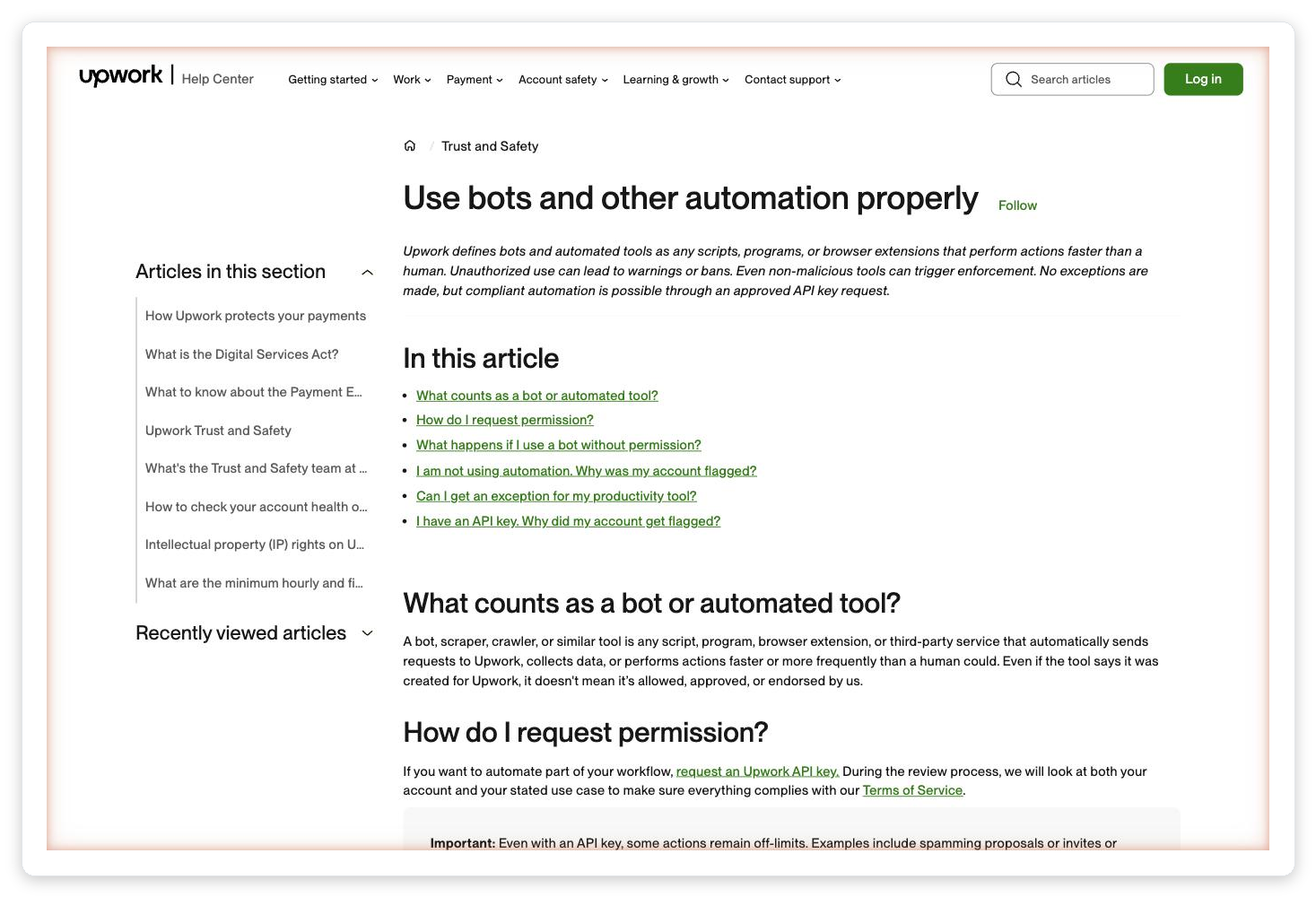
Source: Upwork Help Center. The page was quietly updated in late 2024 to name specific extension types.
The page lists four extension categories by name:
Extensions that scrape the job feed on a timer, then push matches to Slack or Telegram. Usually sold as "smart alerts" or "job watcher" Chrome extensions.
Anything that reloads a job search URL on an interval. This hits Upwork's endpoints in a pattern no human produces.
Tools that record clicks and replay them. Includes auto-bidders that "fill and send a proposal template" with no human review.
Tampermonkey/Greasemonkey scripts that paginate the job feed, auto-click "Load more", or extract client contact info. Fast path to a suspension email.
Sales pages for these tools use soft language: "smart alerts", "efficient browsing", "streamline your proposals". That's the category. If the tool reads or writes anything on upwork.com without you clicking, it's in this bucket.
Why 2025 was the inflection point
Before 2024, Upwork's abuse detection ran nightly. You could hit the feed every 30 seconds for a week before getting flagged. A lot of extension vendors built their product around that latency.
Upwork shipped real-time pattern detection to production in Q1 2025. It catches three signals inside seconds of the first request: requests-per-minute at non-human rates, headless-browser fingerprints, and repeated identical payloads from the same account. The enforcement flow is simpler now too: first hit is an automated warning, second is a review, third is a permanent close.
The agencies I know who got flagged share a common story: one freelancer installed an extension the founder didn't know about. Upwork doesn't care whose laptop triggered the pattern. The account tied to the session eats the ban, and the agency's whole book of work freezes while appeals process.
Vadym walks through three real agency suspension cases in GigRadar's Agency Success course, including what the reinstatement email actually looks like and which appeal arguments worked:
🎥 From GigRadar's Agency Success Course: "How to get banned on Upwork" (and how to get unbanned)
The 7 agency tools that actually work
These are the ones I'd put on a shortlist for any agency between 2 and 20 freelancers. Each is evaluated on whether it touches the Upwork UI directly (the failure mode), whether it needs a login (a softer failure mode), and what it actually does for a pipeline.
| Tool | Job | Price | Ban risk |
|---|---|---|---|
| GigRadar | Public-data job scanner + proposal CRM | From $79/mo | None (no login, no scrape) |
| Upwork's own Uma | Official AI proposal drafter | Free | None (first-party) |
| HoneyBook | Client CRM + contracts + invoicing | $19-$79/mo | None (off-platform) |
| Bonsai | Proposals, contracts, time tracking | $17-$32/mo | None (off-platform) |
| Harlow | Freelance ops + pipeline tracker | $19/mo | None (off-platform) |
| Plutio | All-in-one agency workspace | $15-$30/mo | None (off-platform) |
| Notion + Loom | Proposal library + client async review | $0-$20/mo | None |
None of these tools read or write anything on upwork.com on your behalf. Every one of them operates in the layer that sits around Upwork: your inbox, your Notion, your CRM, your public-data scanner.
Free decision matrix: is this tool going to get me banned?
Before you pay for any "Upwork agency tool", run it through the five questions below. If the answer to any one of them is Yes, skip the tool. This matrix has held up across 3,000+ agencies we've audited.
Interactive Tool
The Upwork Tool Ban-Risk Scorer
Five questions. Takes 60 seconds. Returns green / amber / red.
1. Does the tool require you to log into your Upwork account inside the tool?
2. Is it a browser extension (Chrome, Firefox, Edge) that loads on upwork.com?
3. Does it send, reply, or click anything in Upwork without you pressing Send?
4. Does it refresh, scrape, or pull data from the job feed on a timer?
5. Does the vendor's marketing say "auto-bid", "auto-apply", or "auto-send proposals"?
What "safe automation" actually looks like
The trap with this topic is thinking the answer is "no automation". That's not right either. You can automate aggressively. You just can't automate inside Upwork's UI.
Here's the stack I recommend for any agency running 5+ proposals a day. All of it lives off-platform, which is the only thing Upwork's policy team cares about.
Use a service that reads Upwork's public (unauthenticated) job feed on its own infrastructure, never from your browser. GigRadar is the one I built. There are others, but verify "no login required" before paying.
Draft proposals with ChatGPT, Claude, or Upwork's own Uma. A human on your team reads every draft, edits it, then clicks Send inside Upwork. This is the only AI workflow Upwork explicitly permits.
Track every proposal, reply, and interview in HoneyBook, Bonsai, Harlow, or a Notion database. Keep reply rates per template so you can kill the ones that bomb.
Use Loom for walkthroughs, Slack Connect for ongoing chat, ClickUp or Linear for task tracking. This is where most retainers get renewed or lost.
Give every freelancer on your team a short written rule: "no Upwork browser extensions, ever". Check it in onboarding. This single rule avoids 90% of agency-level suspensions.
How agencies scale proposals without an auto-bidder
The question I get most: if auto-bidders are off the table, how do 20-person agencies send 150 proposals a day? The answer is specialization and tight lead filtering, not automation.
At the agency level, the top teams I work with split the proposal process across three people. A scanner operator (often junior) filters 200 jobs a day down to 15. A senior writer takes those 15 and drafts tailored proposals in 20 minutes each. The founder approves and clicks Send. That team outperforms a solo freelancer with an auto-bidder by 4-5x on reply rate, because every proposal actually gets read.
This is also how you avoid the common auto-bidder trap where proposals all look the same and nobody responds.
Which tools I'd uninstall today
If any of the following are installed on any laptop that logs into your Upwork agency account, uninstall them today. Every one of them has been implicated in ban cases I've seen personally or in Upwork community threads in the last 12 months.
| Category | What it does | Why Upwork bans for it |
|---|---|---|
| Auto-bidders | Sends proposals without a human | Automated POST requests + duplicate payloads |
| Feed scrapers | Pulls jobs via your session | Requests-per-minute at non-human rate |
| Auto-refresh extensions | Reloads the job search URL | Same URL hit on a perfect timer = bot signature |
| Tampermonkey scripts | Injects JS into upwork.com | Explicit violation of Acceptable Use |
| Contact extractors | Pulls client emails/URLs | Circumvention fee detection + ToS violation |
Free audit for Upwork agencies
Get the job feed without the ban risk
GigRadar reads Upwork's public job data on our infrastructure. No browser extension, no login required. 3,000+ agencies use it without a single ban in 4 years.
Get Your Free Agency Audit →The one tool every agency should actually have
It's not a SaaS. It's a written acceptable-use policy for your own team, signed during onboarding.
Every agency I know that got suspended in 2025 had no internal rule about browser extensions. The suspensions happened because one junior freelancer, trying to work faster, installed something they'd seen on Reddit. The agency's account took the hit.
The policy doesn't have to be complicated. A paragraph is enough: "You will not install any Upwork-related browser extension, userscript, or automation tool on any device that logs into this agency's Upwork account. Violation is grounds for termination." I keep mine in Notion and have every new hire e-sign it.
If you want the bigger picture on how this fits into running a compliant agency account, the rule about extensions is step one of about fourteen. But it's the single step that prevents the most damage.
More tactical detail on the exact proposal workflow that replaces auto-bidders is in our proposal template breakdown. And if you're coming back from a suspension, the trust signals Upwork actually rewards matter more than any tool on this list.
FAQ
See the FAQ block below this article for quick answers on compliant automation, which AI tools Upwork explicitly allows, and what happens during an appeal.








