

2-minute video walkthrough — the full framework in under 2 minutes.
The Short Version
- Upwork bans fully automated bots, browser automation scripts, and any tool that submits proposals without a human clicking "send." Not just aggressive scrapers. Even "passive" auto-refresh extensions trigger it.
- Upwork explicitly allows AI for drafting and job-matching notifications as long as a human reviews and sends the final proposal. That's the line.
- The real lift from AI automation is speed, not volume. Agencies that reply within 10 minutes see 8–24% reply rates versus 1–3% for 2–4 hour lag.
- Five categories of AI automation actually work: job scoring, proposal drafting, speed alerts, performance analytics, and reply handling. Anything else is cosmetic.
- Use the safety scorer below to audit any AI tool you're running before Upwork does it for you.
Upwork's detection team doesn't care about your reasoning. From the GigRadar customer pool, I've watched agencies with 3 years of perfect JSS and $400K lifetime earnings get perma-banned for installing a "harmless" auto-refresh Chrome extension. The tool wasn't even spraying proposals. It was just reloading the job feed.
And yet the same agencies using AI to draft proposals, score jobs, and alert them when a match lands, with a human clicking send, are adding 10–15 replies a week and scaling past $50K/mo. The difference isn't the AI. It's whether a human is still in the loop when the proposal leaves your account.
This article walks through exactly what AI automation works on Upwork in 2026, which categories Upwork's ML detection flags, and the 5-point safety check I run on every tool before I let a GigRadar customer plug it into their workflow.
The rule Upwork actually enforces: humans decide, AI prepares
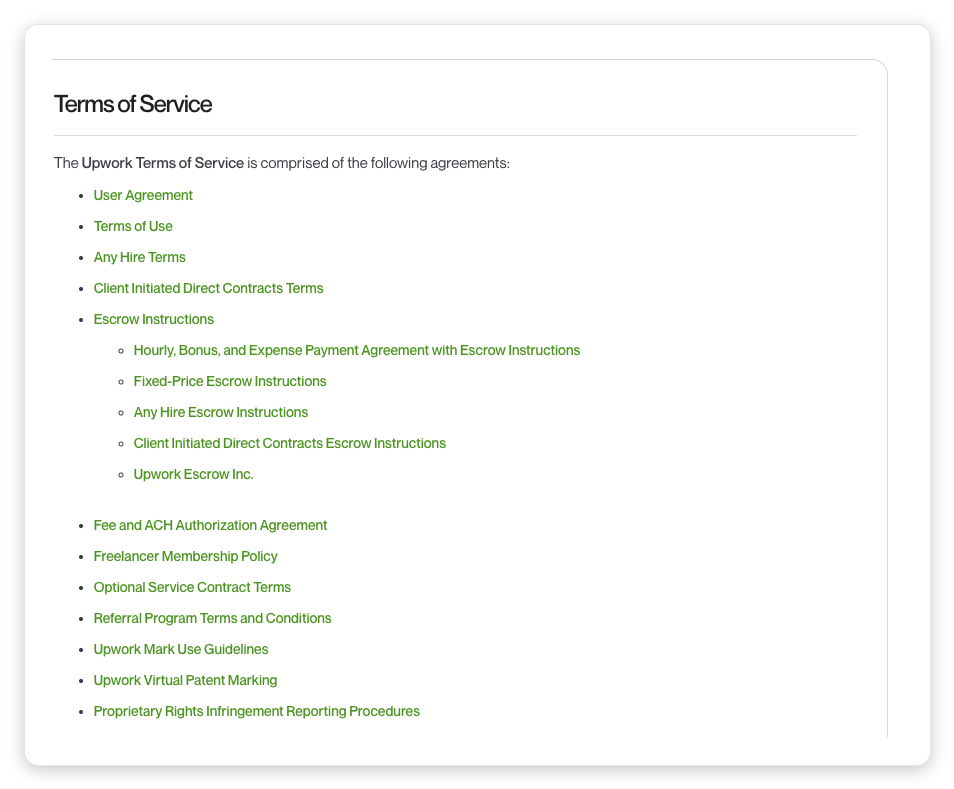
Upwork's official policy on automation is one of the clearest lines on the platform. Their official guidance defines bots as "any scripts, programs, or browser extensions that perform actions faster than a human." Anything under that umbrella is bannable.
What it doesn't ban: AI drafting, job-matching alerts, and analytics tools that surface data. The distinction is whether the tool acts on your behalf or just prepares work for you to review.
AI can prepare and support. Humans must decide and send. No action (proposal, message, application) leaves your account without a person approving it.
Most agencies get this wrong in the same way. They set up a tool that "just sends when a match hits." Six weeks in, they have 400 proposals out and two replies. Then they get flagged. Then the appeal starts.
The AI Tool Safety Scorer — check your stack before Upwork does
Interactive Tool
Score your AI automation setup
Answer 7 questions about how your AI tools interact with Upwork. Scorer flags ToS risk before enforcement does.
Five AI automation categories that actually move the needle
Most AI automation articles list 20 tools and call it a day. What actually matters is which category of task you're automating. Four of these are safe when built correctly. One is always banned.
| Category | What it does | Upwork ToS | Real lift |
|---|---|---|---|
| Job scoring & filtering | ML scores each job 0–10 based on client history, budget, payment verification, keyword fit | ✓ Safe | Cuts wasted Connects 60–80% |
| AI proposal drafting | Generates personalized cover letter from job description + your template/portfolio | ✓ Safe (with human review) | Cuts drafting time 30→5 min |
| Speed alerts | Email/Slack ping within seconds of a matching job posting | ✓ Safe | 4x reply rate from <10min response (GigRadar data) |
| Performance analytics | Tracks reply rate, view rate, win rate by job type / scanner / time-of-day | ✓ Safe | Finds the 10% of jobs driving 80% of wins |
| Auto-submit bots | Tool fires proposals on match without human click. Browser scripts. Auto-bidding. | ✗ Banned | Short-term volume, 4–12 week ban horizon |
The pattern is predictable. Everything that prepares work for a human to decide is safe. Everything that replaces the human decision is bannable. Upwork's ML isn't looking at AI content itself. It's looking at behavioral fingerprints of non-human submission speed, session patterns, and volume anomalies.
What happens when you get it wrong
I pulled this from r/Upwork last month. It's the clearest example of what the "irregular activity" ban actually looks like in 2026:
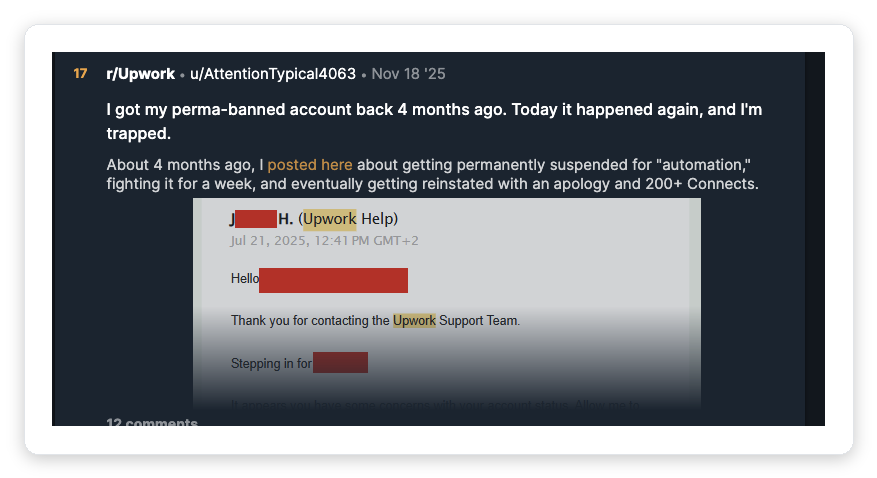
In cases we've walked customers through, the appeal cycle for this kind of ban runs 2–6 weeks with roughly 15–25% reinstatement odds. The user above got unbanned once and got re-banned 4 months later. This is not theoretical.
From Upwork's public guidance on automation: browser fingerprint mismatch, submissions faster than human UI speed, session patterns that don't match human behavior (no mouse move, no idle gaps), IP anomalies, and unrealistic proposal volume. Your "undetectable" bot is detectable.
Our rule at GigRadar: if a tool can't explain its access model in plain English, don't plug it in. The ones that hide behind "proprietary methods" are the ones that get customers banned in cohorts.
Vadym breaks down the seven exact ban triggers (including unauthorized software and hourly-tracking violations) in GigRadar's agency growth course:
🎥 From GigRadar's Agency Success Course: How to get banned on Upwork (and how to survive if it happens)
The speed trap: where AI actually earns its keep
The biggest myth in AI automation is that the win comes from volume. It doesn't. It comes from speed.
Upwork surfaces proposals in roughly the order they arrive, and clients start reading the first 5–10 in the first 20 minutes. After that, client attention drops off a cliff. This is where agencies using AI to draft and a human to review outcompete agencies still writing from scratch.
This is also where most agencies get the ROI math wrong. They compare AI tools on "how many proposals can I send." The right comparison is "how many proposals can I send within 15 minutes of posting, with human review, without quality dropping."
Agencies running the tight version (30 reviewed proposals/week, AI-drafted, human-sent in under 15 min) routinely outperform agencies doing 80/week with 4-hour lag. The AI isn't replacing your thinking. It's compressing the window between "job appears" and "I can reply thoughtfully."
What AI draft templates actually look like when done right
The fastest way to waste AI on Upwork is to use generic prompts. "Write a cover letter for this job" gets you output that screams bot. The trick is building scanners that force the AI to anchor on specifics.
This pattern works because it constrains the AI to the two things that move reply rate: job-specific opener and a real portfolio proof. Everything else is padding.
Vadym covers the exact scanner structure, including what anti-keywords to add and how to A/B test two scanner variants, in the GigRadar course:
🎥 From GigRadar's Agency Success Course: Scanners That Sell — writing AI prompts that don't sound robotic
How to actually set up safe AI automation in a week
Run the 7-question scorer above for every tool currently touching your Upwork account. Any tool scoring under 50% gets ripped out this week. Do not keep it "just for now."
This is the single highest-ROI AI move. Speed to first reply is the biggest lever. Configure alerts to your team's Slack with a 10-minute reply SLA.
One with a "hook opener" style (funny, specific, off-template), one with a "portfolio proof" style (case study, number, relevance). Alternate by day for 2 weeks. See our cover letter template breakdown for the exact structures.
Track reply rate and view rate per scanner. You cannot improve what you cannot measure. Our breakdown of proposal analytics covers which metrics actually matter.
Every proposal goes through a 30-second eye-review before send. Daily cap: 25–30 proposals per profile. More than that and your behavioral pattern starts looking automated. See our bidding guide for volume tradeoffs.
Common AI automation mistakes agencies make
"If 10 proposals got 1 reply, 100 will get 10." Usually it gets you 2 replies and a suspension notice. Quality of targeting scales linearly. Reply rate scales nonlinearly with speed.
Even if the tool is "compliant," AI outputs drift. Clients pick up on it. Reply rate tanks over 4–6 weeks. Always have a human make the final edit, even if it's just the opener.
Stack one scanner tool, one analytics tool, one drafting AI. Running 4 browser extensions plus 2 third-party scrapers is the fastest way to get the "irregular activity" email. Session patterns get weird when tools fight for the same DOM.
Every vendor claiming undetectability is on a clock. Upwork's detection team ships new heuristics monthly. The undetectable tool from 2024 is today's ban email. Only pick vendors with a public, documented access model.
Some agencies try to use AI or RPA to inflate hourly logs. This is the fastest ban in the catalog. Upwork's Team app already catches activity-pattern anomalies (no mouse moves, same screenshot twice). Fixed-price contracts only for delegated work.
Free audit for Upwork agencies
Run your current AI stack past a human review
We built GigRadar as the human-review layer on top of AI drafting. Official Upwork agency-tier integration, 3,000+ agencies battle-tested, zero ban cases from our compliance architecture.
Get Your Free Agency Audit →What changes in 2026 (and where AI is heading next)
Three shifts are already underway that will matter more by Q4:
Upwork's Uma AI assistant is catching up. Native AI drafting is now bundled with Freelancer Plus. For solo freelancers that kills a chunk of the third-party tool market. For agencies it doesn't touch the categories that actually scale: job scoring, scanner A/B testing, performance analytics.
Detection is shifting from volume to pattern. Upwork's ML used to flag on "too many proposals per hour." 2026 heuristics look at behavioral fingerprints: session cadence, edit patterns, mouse dwell time. Tools with no human-in-the-loop are getting flagged regardless of how slow they send.
Reply rate benchmarks are moving down, not up. Across GigRadar's customer base, overall market reply rate on Upwork has trended from ~4% in 2023 to ~2% in 2026 as AI-drafted proposals flood the feed. This means the premium on speed and specificity is going up. Generic AI proposals get lost faster than ever. Agencies that can produce 30 high-specificity proposals/week outperform agencies producing 100 low-specificity ones.
The one-line summary
AI automation on Upwork works in 2026 if you stop thinking about it as a replacement for your bidder and start thinking about it as a pre-processor for your bidder. Prep + review + send. That sequence is safe, scalable, and currently outperforming every full-auto setup in the market.
If you want to stress-test your setup, run the scorer at the top of this article. Then audit your lowest-scoring question and fix it this week.








