

Watch the 2-minute walkthrough or keep reading below.
TL;DR
- LinkedIn automation tools get 15-45% of accounts restricted within 6 months. LinkedIn restricted over 1 million accounts in 2025 alone.
- The real CPL on LinkedIn automation ($300-400) is 4-8x higher than Upwork ($30-100), even before you factor in the ban replacement cost.
- LinkedIn reply rates (10-25% on InMail) sound impressive until you realize those replies come from cold interruptions, not people actively looking to hire.
- Upwork proposals reach buyers with open budgets and active hiring intent. LinkedIn messages reach people who were scrolling through industry news.
- The free calculator below lets you plug in your own numbers and see exactly which channel wins for your agency.
LinkedIn automation for agencies sounds like the obvious next channel. Every sales influencer on your feed is selling it: "automate connection requests, scale your outreach, fill your pipeline."
Then you check your restricted account notification 4 months later and realize the math never worked.
I ran LinkedIn automation alongside Upwork outreach for 14 months across GigRadar's agency customers. The data was clear: LinkedIn cost us $340 per qualified reply.
Upwork cost $62. And that was before counting the accounts we lost.
This is not a scare piece. LinkedIn automation has a specific use case for agencies (I cover it at the end).
But most agency owners adopt it as a primary lead gen channel before running the numbers. That is the mistake.
LinkedIn banned 1 million accounts last year. Yours could be next.
LinkedIn's User Agreement explicitly prohibits automated tools. Section 8.2 bans "developing, supporting, or using software, devices, scripts, robots, or any other means to scrape the Services or otherwise copy profiles and other data."
This is not theoretical enforcement. LinkedIn's Professional Community Policies confirm they actively detect and restrict accounts using automation.
In 2025, they restricted over 1 million accounts for automation and fake activity violations.
The restriction tiers escalate. First warning: temporary limitation on connection requests.
Second: full account restriction requiring ID verification.
Third: permanent ban with no appeal. Most agencies hit the second tier within 90 days of running automation at scale.
When your LinkedIn account gets restricted, you lose your connection network, message history, and social proof. Rebuilding takes 3-6 months of organic activity before you can safely automate again.
Factor $2,000-5,000 in lost pipeline per ban event.
The linkedin automation tool comparison nobody wants you to see
Every LinkedIn automation vendor quotes reply rates in a vacuum. None of them show you the ban rate alongside the price.
Here is what the landscape actually looks like when you include compliance risk.
*Connects pricing applies. **Limited by Connects budget, not platform restrictions.
Notice the pattern. Every LinkedIn tool sits on a spectrum between "cheap but high ban risk" (browser extensions) and "expensive but slightly less ban risk" (cloud tools).
None eliminates the compliance problem because LinkedIn's detection operates at the account behavior level, not the tool level.
GigRadar takes a fundamentally different approach on Upwork. We operate a real Upwork Business Manager account.
Your agency invites our BM through Upwork's official invitation system. Proposals submit from the BM's own account under our team's supervision, and your agency account is never touched.
LinkedIn automation for agencies: the free ROI calculator
Stop guessing which channel performs better. Plug in your actual numbers (or use the defaults from industry benchmarks) and see the cost-per-reply comparison for your specific agency.
Interactive Tool
LinkedIn vs Upwork ROI Calculator
Compare your real cost per qualified reply across both channels.
LinkedIn Automation
Upwork Outreach
Reply rates tell a different story than linkedin sellers claim
LinkedIn automation vendors love quoting "10-25% reply rate on InMail." That number is technically real. But it hides two critical problems that change the economics completely.
First: those replies include "not interested" and "please stop messaging me." HubSpot's research shows that InMail's "reply" metric counts every response, including rejections.
The qualified reply rate (someone actually interested in talking) drops to 3-7%.
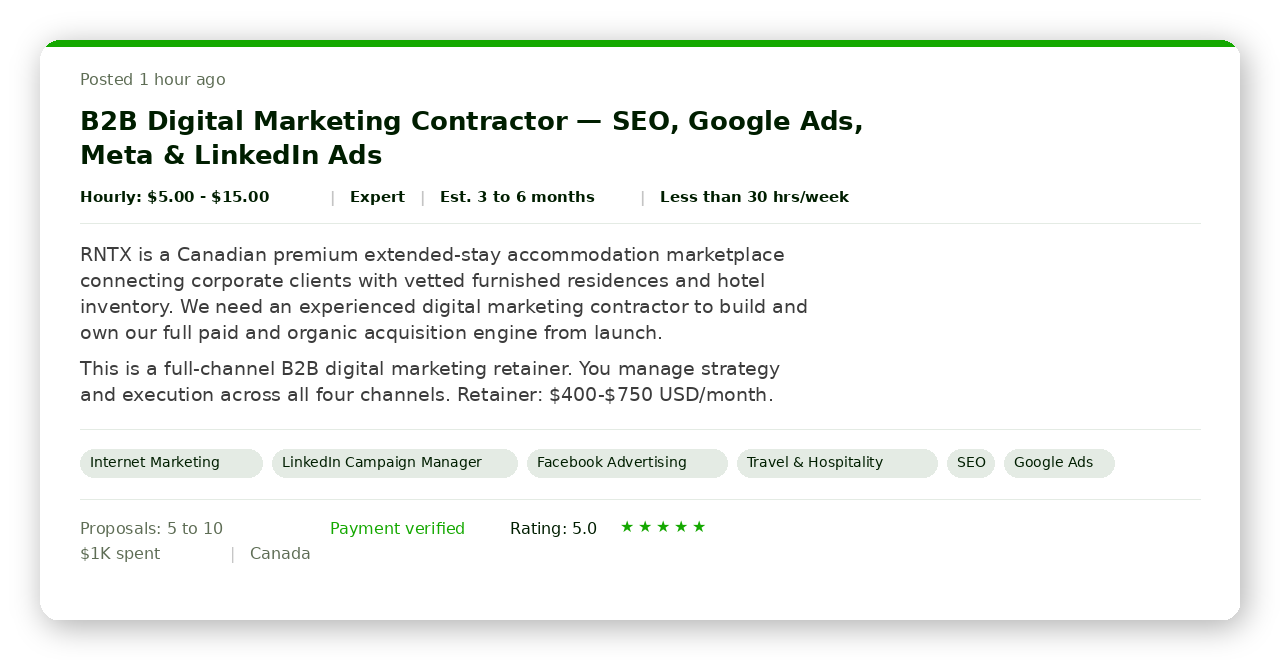
Second: the intent quality is completely different. On Upwork, every person you contact has posted a job with a budget and is actively looking to hire.
On LinkedIn, you are interrupting someone who was scrolling through industry news. The response rate comparison changes entirely when you account for conversion to actual paid work.
GigRadar analysed 133,872 outbound proposals and found that opener phrasing alone swings reply rates by +5.5 percentage points. "Just saw your post" lifted reply rate by +3.47pp, while "I came across your job posting" dropped it by -2.01pp.
Same intent, same word count, completely different results. Active immediacy ("just saw") beats passive serendipity ("came across") every time. (More on proposal openers)
Intent-based outreach vs. interruption outreach (and why it matters for cost)
This is the fundamental difference most "multi-channel outreach" advice ignores. LinkedIn automation is interruption-based: you reach people who did not ask to hear from you.
Upwork is intent-based: you reach people who posted a job and are waiting for proposals.
The cost difference compounds because LinkedIn automation requires sales infrastructure that Upwork does not. LinkedIn needs: Sales Navigator ($99/mo), automation tool ($50-200/mo), dedicated IP addresses, warm-up sequences, CRM integration, and a full-time SDR to handle the 85% of replies that are not qualified.
Our outbound channel comparison breaks this down by channel.
On Upwork, the proposal IS the outreach. The client reviews it in their hiring dashboard alongside 5-15 other proposals.
No warm-up needed, no multi-touch drip sequence. One shot, buyer has intent, and the reply comes within 48 hours or not at all.
The compliance math most agencies skip
Here is the hidden cost nobody puts in their LinkedIn automation ROI spreadsheet: what happens when your account gets restricted.
The amortized ban cost is the number LinkedIn automation vendors never mention. If you have a 30% chance of losing your account within 6 months, and rebuilding costs $2,000-5,000 in lost pipeline, that is $100-250/month in expected loss.
Add it to every LinkedIn automation ROI calculation.
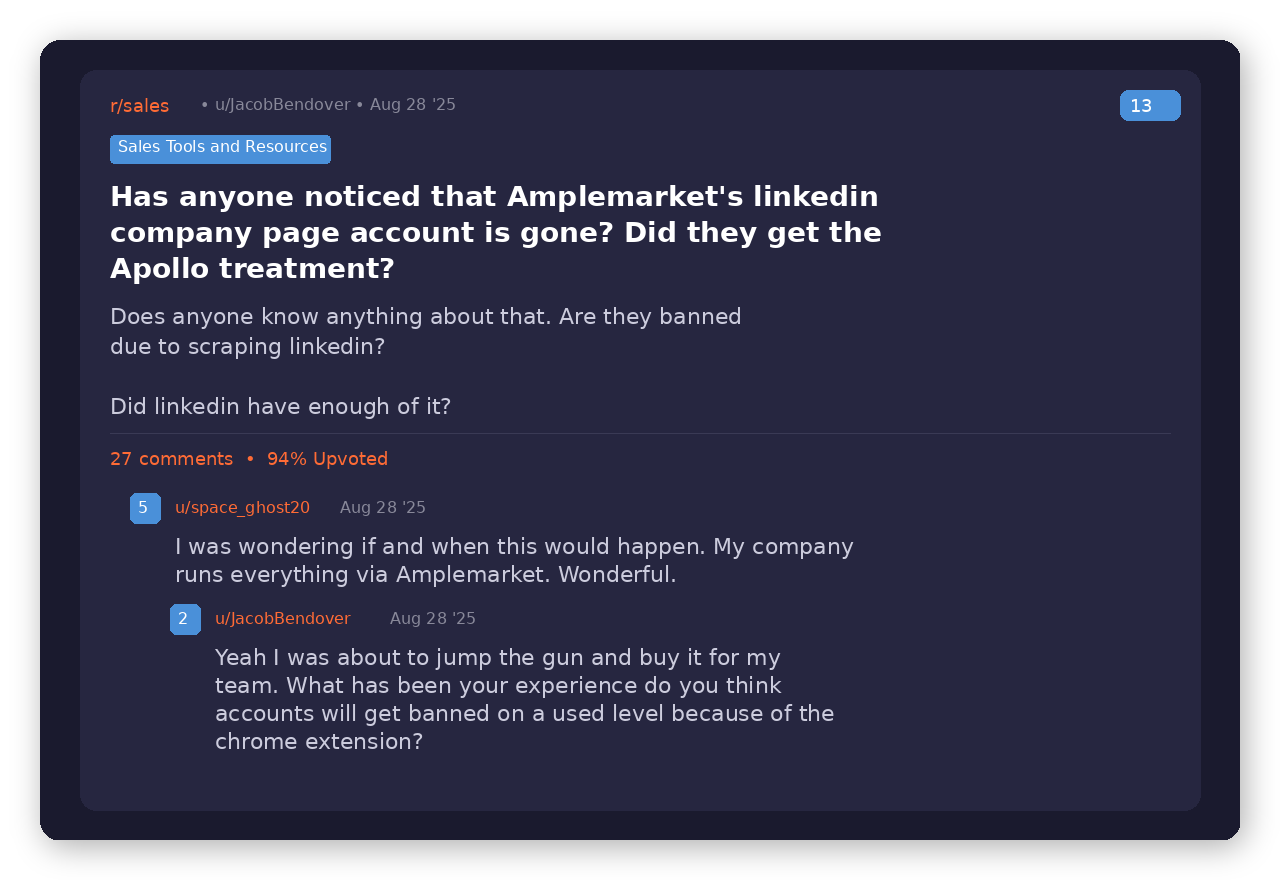
"My company runs everything via [a major LinkedIn automation tool]. Wonderful. Just found out they got banned from LinkedIn. Now what?"
Reddit user, r/sales
Zero ban risk. Real Upwork Business Manager.
Stop risking your LinkedIn account. Start reaching buyers with hiring intent.
GigRadar operates a real Upwork Business Manager account on your behalf. Your agency invites our BM through Upwork's official invitation system.
Proposals submit from our account. Your account is never touched.
Get Your Free Agency Audit →When linkedin automation actually makes sense for agencies
LinkedIn automation has a narrow but real use case for agencies. It works when three conditions are true simultaneously.
At this contract value, a $300-400 CPL can still produce positive unit economics. Below $5K/month retainers, the CPL eats your margin. (Retainer pricing math)
Enterprise marketing directors at Fortune 500 companies do not post jobs on Upwork. If your target buyer only exists on LinkedIn, that is where you have to go.
But most agency owners overestimate this: Upwork's B2B buyer base is larger than people think.
If losing your LinkedIn account and 3 months of network rebuilding will not kill your pipeline, the risk is tolerable. If LinkedIn is your only channel, a single ban is an existential threat.
For most agencies doing $5K-50K/month, Upwork is the higher-ROI channel. The B2B lead generation math favors intent-based outreach until your average contract size exceeds the LinkedIn CPL threshold.
The hybrid playbook: linkedin for brand, upwork for revenue
The smartest agencies I have worked with do not choose between LinkedIn and Upwork. They use LinkedIn for organic content and brand building (zero automation risk) while running client acquisition through Upwork.
Week 1: Set up Upwork as your revenue engine
Invite GigRadar's Business Manager into your Upwork agency. Configure your scanner for your top 3 service categories.
Start submitting 5-10 proposals per day to payment-verified clients with budgets above your minimum.
Week 2: Build LinkedIn as your credibility layer
Post 2-3 times per week on LinkedIn about your Upwork wins, case studies, and industry insights. No automation, just manual engagement with prospects' content.
This builds the social proof that makes your Upwork proposals more credible when clients Google your name.
Week 3: Cross-pollinate your wins
When you land an Upwork client, write a LinkedIn post about the project (with permission). When a LinkedIn connection asks about your services, send them your Upwork profile with portfolio and reviews as social proof.
Week 4: Measure and double down
Track your cost per reply on both channels. For most agencies, Upwork will produce 3-5x more qualified replies per dollar spent.
Scale Upwork volume first. Only consider LinkedIn automation after Upwork is maxed out and your average deal size exceeds $5K/month.
The key insight: LinkedIn's value for agencies is brand, not direct outreach. The moment you automate connection requests, you convert a credibility asset into a cold-outreach channel with a 30% chance of losing your account.
Use LinkedIn for what it is good at (content, proof, networking) and let intent-based platforms handle the pipeline.
Based on GigRadar's analysis of 133,872 proposals: "Just saw your post" opener lifts reply rate by +3.47pp vs "I came across your job posting" which drops it by -2.01pp. More on outreach phrasing








