

2-minute walkthrough — the multi-profile alert architecture in plain terms.
TL;DR
- Native Upwork push notifications land 15–60 minutes after a job goes live; by then the average job already has 20+ proposals.
- GigRadar's pipeline data shows reply rate is 9.49% when you bid in the first 2–5 minutes and drops to 6.66% in the 5–10 minute window. A 30% reply-rate haircut in 5 minutes.
- The agency-specific problem isn't notification speed for one freelancer. It's coordinating 10+ freelancers, each with their own niche, without duplicate Connect spend or coverage gaps.
- The fix: one shared scanner pool with per-freelancer Slack/Telegram routing, automatic dedup across overlapping searches, and a single agency dashboard. Calculator below shows what your current setup is costing.
- You'll be done in 60 minutes if you follow the deployment playbook at the end.
Every 30 seconds you wait past minute 4 costs you roughly one percentage point of reply rate. That's not a slogan, that's what 59,339 GigRadar proposals showed when we cut the data by minute-since-publish in Q1 2026.
Agencies spend most of their notification energy on the wrong problem. The problem isn't whether you get pinged faster. It's that 10 freelancer profiles all running their own saved searches, their own mobile apps, and their own quiet hours means no one owns the response window and your team double-bids on the same jobs.
This article is the agency version of the alert-setup conversation. It assumes you have at least three freelancer profiles operating under your agency, a Slack or Telegram you already use for coordination, and an opinion about how to spend Connects.
Interactive Tool
Notification Latency Cost Calculator
Plug in your team's numbers. Shows what late notifications cost you in lost replies and wasted Connects per month.
The 5-minute cliff that makes every notification delay expensive
Most "speed beats elegance" advice on Upwork is generic. The number is specific. Of 59,339 GigRadar-tracked proposals in Jan–Feb 2026 with a clean publish-to-sent timestamp chain, the reply-rate curve has a cliff at exactly the 5-minute mark:
| Minutes from publish → sent | n (proposals) | Reply rate | vs 5–10 min baseline |
|---|---|---|---|
| 2–5 min | 2,372 | 9.49% | +2.83 pp |
| 5–10 min (median) | 34,963 | 6.66% | baseline |
| 10–30 min | 20,067 | 7.46% | +0.80 pp |
| 30–60 min | 1,218 | 5.50% | −1.16 pp |
| 1–3 h | 362 | 6.63% | ≈ baseline |
| 3–12 h | 332 | 6.02% | −0.64 pp |
Source: GigRadar pipeline data, Jan–Feb 2026. Reply = the client either opened a chat or assigned the proposal to a hiring room.
Inside the first 5 minutes there's a sub-minute decay too. Bids landing at 3–4 min reply at 11.86%, 4–5 min at 8.99%, and 5–6 min at 6.91%. Each 30 seconds you slip past minute 4 costs roughly 1 percentage point of reply rate. The "best matches" inbox fills up fast and clients open it top-down.
The interesting wrinkle: there's also a rebound at 12–15 minutes (8.07% reply rate). That's the second-wave client check. So if you can't bid in the first 5 minutes, the next best window is around 12 minutes, not minute 8 or 9, where you're in a dead zone.
Your goal isn't to ping every freelancer faster. It's to make sure one of them sees every relevant job inside the first 5 minutes, and that the other nine don't burn Connects on the same job at minute 12.
Why native Upwork notifications fail agencies specifically
Upwork's notification stack works fine if you're a solo freelancer monitoring one search at a time. It breaks the moment you add a second profile.
Here's what each native option actually delivers, side by side:
| Native option | Typical delay | Per-profile routing | Agency fit |
|---|---|---|---|
| Email digest (saved search) | 30–60 min | Individual inboxes only | Useless for speed |
| Mobile app push (Upwork iOS/Android) | 15–30 min | One device per profile | No team visibility |
| Freelancer Plus "instant alerts" | 5–15 min | One profile, mirrored prior proposals | Single-profile only |
| RSS feed | n/a; discontinued Aug 2024 | n/a | Dead since 2024 |
| Desktop browser notifications | While browser open only | One profile per browser session | Doesn't survive sleep |
Two specifics worth knowing. First, Upwork's "instant alerts" are only available on the Freelancer Plus plan ($14.99/mo per profile) and only fire for jobs that mirror your existing proposal history. For an agency with 10 freelancers in 10 niches, that's 10 separate Plus subscriptions, 10 separate algorithms, and no central view.
Second, Upwork killed its RSS feed in August 2024 (the support team posted the deprecation banner on the saved-search settings page that month). Any "instant notification" tutorial older than that is recommending a method that no longer exists. If you've been Googling and finding step-by-step RSS guides. They're broken.
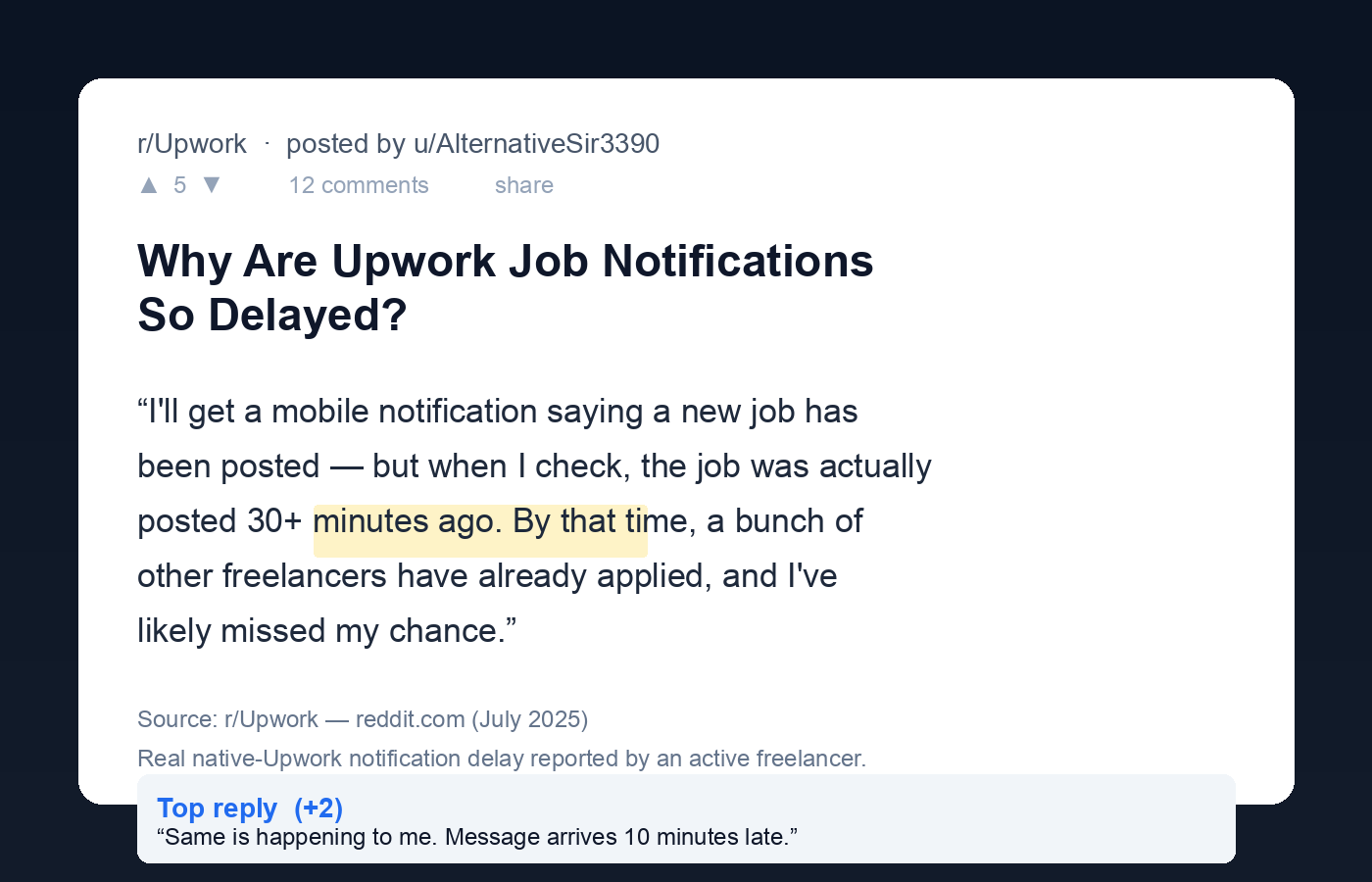
From r/Upwork, July 2025. This is the modal complaint, not the edge case.
The multi-profile problem: 10 freelancers × 30 saved searches = chaos
Upwork lets each freelancer profile save up to 30 searches. An agency with 10 freelancers, each running 3 to 5 active saved searches in their niche, is coordinating between 30 and 50 notification streams. No native dashboard exists to see those streams together.
Upwork's one-account-many-profiles rule means each freelancer technically operates inside the agency's single login, but the notification surface stays per-profile. The Upwork community forum has dozens of threads on push delay, none of which have a native fix.
The failure modes that show up the moment you scale past one profile:
A Shopify dev job posted under "E-commerce" matches three of your freelancers' saved searches. All three get pinged, all three draft a proposal, all three spend Connects on the same job. Two of those Connects do nothing.
Your Manila freelancer turns off push at 11pm local. Your Lisbon freelancer turns off push at midnight. Between those windows there's a 4-hour blind spot where high-fit jobs land and nobody owns them until the next morning. By morning the job has 40 proposals.
A "React Native + payments" job lands in your Senior dev's feed because his profile mentions React. It should have routed to your mobile specialist. You only find out at the Friday review when the senior dev shrugs and says "I saw it but skipped it."
You don't know your team's average time-to-bid because each freelancer's data lives in their own Upwork inbox. You're optimizing a number you can't see.
What an agency notification system should actually look like
The architecture that works isn't "faster push notifications." It's a different shape entirely.
One central scanner pool watches Upwork on behalf of the whole agency. Each scanner has explicit ownership and routes to one Slack channel or Telegram group. A dedup layer rejects any job that already exists in another scanner's recent matches. A single dashboard shows per-freelancer latency, reply rate, and Connect spend.
Move job-watching off individual freelancers' phones and into one shared scanner pool. Freelancers still write the proposals. They just don't run the discovery loop separately.
Channel routing: Slack channels vs Telegram groups
Both work. The choice depends on where your team already lives. Pick one and route every scanner to it. The plumbing is standard: Slack incoming webhooks for one direction; the Telegram Bot API sendMessage endpoint for the other. Most scanning tools speak both natively.
| Routing channel | Best for | Latency | Threading |
|---|---|---|---|
One Slack channel per niche (e.g. #leads-shopify) |
Distributed teams already in Slack; clear handoff threads | 3–10 sec | Native threads |
| One Telegram group per freelancer | Solo-style freelancers who live on their phones; faster mobile push | 1–5 sec | Linear feed |
| Hybrid (#leads-* in Slack + per-freelancer Telegram) | Larger agencies with a bidding manager + remote freelancers | 1–10 sec | Best coverage |
The hybrid setup is what most agencies past five freelancers end up running. The bidding manager triages in Slack, the freelancer takes the job in Telegram. Both channels show the same job within seconds.
The dedup problem (and why it's a Connects line item)
An agency-scale notification setup without dedup quietly burns 15–25% of your monthly Connect spend on duplicate proposals. Two freelancers bidding on the same job means one of those proposals dies before the client reads it, because Upwork applies limits on agency-side proposal visibility when multiple bids come from members of the same agency.
Concretely: if your agency sends 600 proposals a month at an average of 10 Connects each, that's 6,000 Connects. A 20% dedup leak means 1,200 wasted Connects per month. That is $180 at the official $0.15-per-Connect rate. That's the cost of one Connects boost on a single big-budget job, every month, for nothing.
When a job matches two or more scanners, route it to the scanner with the highest historical reply rate for that subcategory. The other scanners suppress it for 24 hours. Manual override is one click for the freelancer who actually wants it.
The 60-minute deployment playbook
If your agency is at 3+ freelancers and still relying on the native Upwork app, this is the migration. Do it in one sitting.
List each freelancer and the 2–4 niches they bid on. Note overlaps. This is the routing key.
One channel per niche (not per freelancer): #leads-webdev, #leads-shopify, #leads-data. Invite the freelancers who own that niche.
Keywords, budget floors, payment-verified filter, client-spend floor. Tight filters here are worth more than a fast pipe. A fast pipe full of bad jobs is just noise.
Webhook or native integration. Test with a single match before opening the floodgates.
Either configure your tool's dedup feature, or agree the rule manually: first reaction in Slack = ownership, others stand down for 24 hours.
This is the step everyone skips. If freelancers keep getting native push too, they'll act on whichever they see first and your routing breaks. The native Upwork app stays for messaging only.
Pin in each channel: "First reaction within 5 minutes business hours. Anything older than 15 min goes to the next-tier reviewer." Make latency visible. People respect what gets measured.
Built for Upwork agencies
Run this whole setup on autopilot.
GigRadar operates a real Upwork Business Manager account on your agency's behalf. Your team invites our BM through Upwork's official invitation flow. We scan, route to your Slack or Telegram per niche, dedup across freelancers, and submit proposals under our team's supervision. Your own freelancer accounts are never touched.
Get your free agency audit →Mistakes that quietly kill notification ROI
These are the patterns I see in audits of agencies who set up alert systems and still complain they aren't winning enough jobs. They're almost never about speed. They're about discipline downstream of the alert. The pain shows up across multiple r/Upwork threads from freelancers who feel late to every job, even with notifications on.
- Pinging the whole team on every job. If three freelancers each draft a proposal and pick one to send, you've spent three people's attention on one outcome. Worse, it kills the "first to react = owner" reflex.
- Using one fat scanner instead of three narrow ones. "Web development" with a $5K floor returns 200 jobs a day. Most are noise. Three tight scanners ("Shopify 2.0 sections," "Webflow custom JS," "Next.js commerce") return 15–25 jobs a day with 4–5x the relevance.
- Keeping native Upwork push on alongside the scanner. Double notifications mean freelancers act on whichever fires first. Routing breaks.
- No quiet-hours plan. A 24/7 scanner pinging a 9-to-5 team is alert fatigue waiting to happen. Mute outside business hours, accept the morning catch-up window.
- Treating reply rate as a vanity metric. Reply rate at sub-5-min latency tells you the scanner works. Reply rate over a week tells you the proposals work. Track both separately or you'll fix the wrong thing.
- Skipping the SLA. "Fast as we can" is not an SLA. "First reaction within 5 minutes in business hours, 15 minutes outside" is. The number creates accountability.
If you're already on a scanning tool and still slow
The scanner isn't always the bottleneck. Other places to look: cover-letter generation latency (a 10-minute LLM lag on a 90-second scanner means you're still bidding at minute 11), unread Slack channels with notifications muted, freelancers who haven't accepted the channel invite, scanners scoped too wide so the alert volume creates desensitization.
For the agency mechanics around proposal speed and per-freelancer routing, the connected reads are the real-time alerts setup guide (freelancer-focused, the prequel to this one), what replaced Upwork's killed RSS feed, and manual vs automated bidding economics. The cost-per-hire calculator shows what your Connect spend looks like once dedup is in place.
Scaling past 10 freelancers brings its own coordination problems. The bidding pod structure and SOP for training a bidding VA are the next two reads.
The bottom line
An agency that wins the notification problem looks operationally different from one that doesn't. They have fewer notification streams, not more. They have one channel per niche, not per freelancer. They have a measured SLA. And they have a dedup rule that means two freelancers don't burn Connects on the same job.
The math at the top of this article is the part most agency owners don't see clearly. A 30-minute time-to-bid versus a 3-minute time-to-bid is a ~30% reply-rate haircut. On a 600-proposals-per-month agency at 10 Connects each, that's roughly $180/month of Connects going to bids the client never opened, recurring, every month, until you fix the architecture.
Set the SLA. Run one scanner per niche. Route to one channel. Dedup. Then look at your reply rate again in 30 days.








