

Client Portal Software for Agencies in 2026: Stop Buying the Back Half First
🎬 Client portal software for agencies, compared (2026) — the 9 tools agencies shortlist, real pricing, and the one thing every roundup gets wrong. Watch on YouTube
TL;DR
- The best client portal software in 2026 depends on one variable most roundups ignore: whether your clients will actually log in.
- SuiteDash ($19/mo, unlimited users, white-label on every plan) is the best value for most small agencies. Copilot/Assembly wins on SOC 2 security, Service Provider Pro (now Wayfront) wins for productized shops.
- White-label is over-weighted. It only matters once the portal is the client's primary touchpoint, which for most agencies it never becomes.
- A portal is downstream of delivery, and delivery is downstream of pipeline. Buying a $99-$499/mo portal before you have a steady flow of clients is solving the wrong problem.
- Use the free picker below to match a tool to your agency size and priority in 15 seconds.
Every "best client portal software" list ranks tools on features, white-label depth, and price. None of them measure the one number that decides whether the portal was worth buying: how often clients log in on their own.
Below roughly 10 active clients, most agencies run delivery fine in a shared Slack channel and a Drive folder. The portal you spend a weekend configuring becomes a second inbox your clients ignore, with a monthly bill attached.
So this guide does two things at once. It compares the nine tools agencies actually shortlist in 2026 with real pricing, and it tells you when not to buy any of them.
Free Interactive Tool
Client Portal Picker
Pick your agency size and your top priority. We will match a tool and estimate the monthly cost.
1. How big is your agency?
2. What matters most?
A client portal is not your project manager, and that gap is the whole point
Project management tools are organized around projects, tasks and assignees. They were built for internal teams, and clients were added later as guests who get to peek at a backlog full of words like "blocked" and "dependency".
A client portal is organized around the client account: each client logs in and sees their work, files, invoices and approvals, and nothing belonging to anyone else. Cross-client isolation is assumed, not configured.
That difference is why exposing Asana or ClickUp directly to clients tends to fail at scale. You end up fighting permission settings and translating internal jargon, when what the client wants is a status that says "in review", not "blocked by missing dependency".
Project management tool
- Organized by project and task
- Built for internal teams, clients are guests
- Internal jargon leaks to the client
- Permissions configured per client (fragile)
- Billing usually lives elsewhere
Client portal
- Organized by client account
- Built client-first, isolation by default
- Client-friendly statuses and milestones
- One login shows everything that client owns
- Invoices, contracts and payments built in
Most mature agencies run both: an internal PM tool the team lives in, and a client-facing portal that hides the mess. A handful of tools below try to be both, which works only when your delivery is standardized enough to show clients the same structures you work in.
The 9 client portal software tools agencies actually shortlist in 2026
Two things changed the landscape this year: Service Provider Pro rebranded to Wayfront, and Copilot rebranded to Assembly. The products are the same, but you will see both names while searching, so I list each with its old name in brackets.
Here is the full comparison, then a one-line verdict on each. All prices are 2026 list prices verified from each vendor's pricing page.
| Tool | Best for | Starting price | White-label | SOC 2 Type II | Pricing model |
|---|---|---|---|---|---|
| SuiteDash | All-in-one + brand on a budget | $19/mo | Yes, all plans (custom domain + mobile app) | Not advertised | Flat, unlimited users |
| Copilot (Assembly) | Security-conscious, client-first portal | $39/mo (annual) | Yes (custom domain on Pro, $149/mo) | Yes, all plans | Per client + seats |
| Service Provider Pro (Wayfront) | Productized / order-based shops | $99/mo (annual) | Yes (reseller portal on Pro) | Not advertised | Per-seat tiers |
| Plutio | Solo to small all-in-one | $19/mo | $9/mo add-on (free on Max) | No | Flat + add-ons |
| Moxie | Solo freelancers, light branded portal | $20/mo (Pro) | Yes on Pro (custom domain) | No | Flat to 5 seats |
| Bonsai | Contracts / invoicing-first freelancers | $19/user/mo (annual) | Premium tier only | No | Per user |
| Dubsado | Form and workflow-heavy services | $20/mo | CSS branding on Premier ($40/mo) | No | Flat to 3 users |
| Notion | DIY, doc-centric light portal | $10/user/mo | No native custom domain | Enterprise only | Per user |
| Zoho | 30+ agencies wanting CRM + portal + security | $37/user/mo (Zoho One) | Partial (Zoho branding remains) | Yes (SOC 2 / ISO) | Per user |
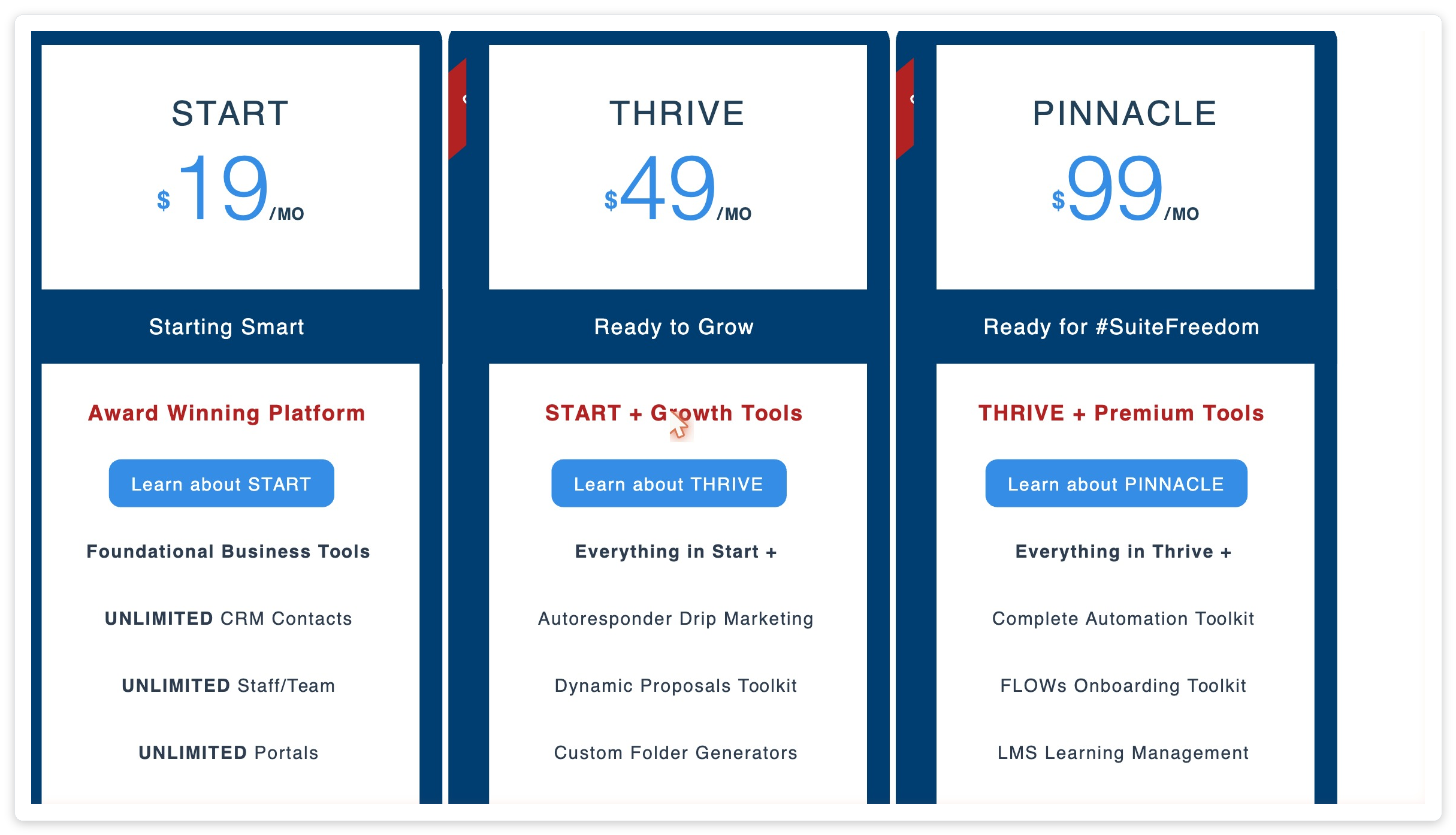
1. SuiteDash
White-label custom domain and a branded mobile app are included on every plan, even the $19 Start tier. The trade-off is depth: it does CRM, projects, billing and forms, but configuration genuinely takes weeks, so buy it only if someone will own the setup.
2. Copilot (Assembly)
The only tool here with SOC 2 Type II on every plan, which is the cheapest way to clear an enterprise client's procurement checklist. Custom domains need the $149/mo Professional plan, full brand removal plus HIPAA needs Advanced, and pricing scales by client count and seats.
3. Service Provider Pro (Wayfront)
Built around orders and services instead of tasks, so clients self-serve from a catalog, pay, and track delivery in one flow. If you sell fixed-scope packages like SEO audits or design subscriptions, nothing else fits as cleanly, though it is overkill for bespoke consulting.
4. Plutio
Proposals, projects, time tracking, invoicing and a portal in one flat subscription, with white-label as a $9/mo add-on on Core and Pro (free on Max). The Core plan caps you at 9 active clients per month, so growing teams jump to Pro at $49.
5. Moxie (formerly Hectic)
Flat pricing with CRM, invoicing and a white-label portal at a custom domain on the Pro plan, but the Starter plan has no portal at all. Reviews are strong overall (4.8 on Trustpilot) yet flag occasional reliability issues with tasks and invoices.
6. Bonsai
Excellent proposals, contracts and invoicing, with a client portal from the Essentials tier and white-label on Premium. The catch is per-user pricing: a three-person team on Premium runs roughly $87/mo annual, where flat-fee tools cost half that.
7. Dubsado
Powerful forms, contracts and automation on Premier, which adds scheduling and CSS customization, though the portal itself is basic with no true custom domain. Note the December 2025 price increase and the 3-user cap before $25/user overages.
8. Notion
Cheap and flexible, but not a real portal: heavily branded, no native custom domain, no cross-client isolation, and no built-in payments. It works as a document hub for a couple of friendly clients, and breaks the moment you need security guarantees or billing.
9. Zoho
The enterprise pick when you want CRM, projects, billing and a portal under one roof with formal SOC 2 and ISO certs. The cost is complexity: you stitch multiple Zoho apps together, Zoho branding never fully disappears, and it is too heavy below 30 people.
Login rate is the only portal metric that matters, and almost nobody measures it
Every comparison ranks tools on features, white-label and price. A client experiences none of those if they never log in.
The honest pattern across most agency portals: the client logs in twice, once during onboarding because you walked them through it, and once when something is on fire. The rest of the relationship happens in email anyway.
This shows up constantly when real owners talk about it. The recurring complaint is not "the portal lacks features", it is "I set it up and the client never used it".
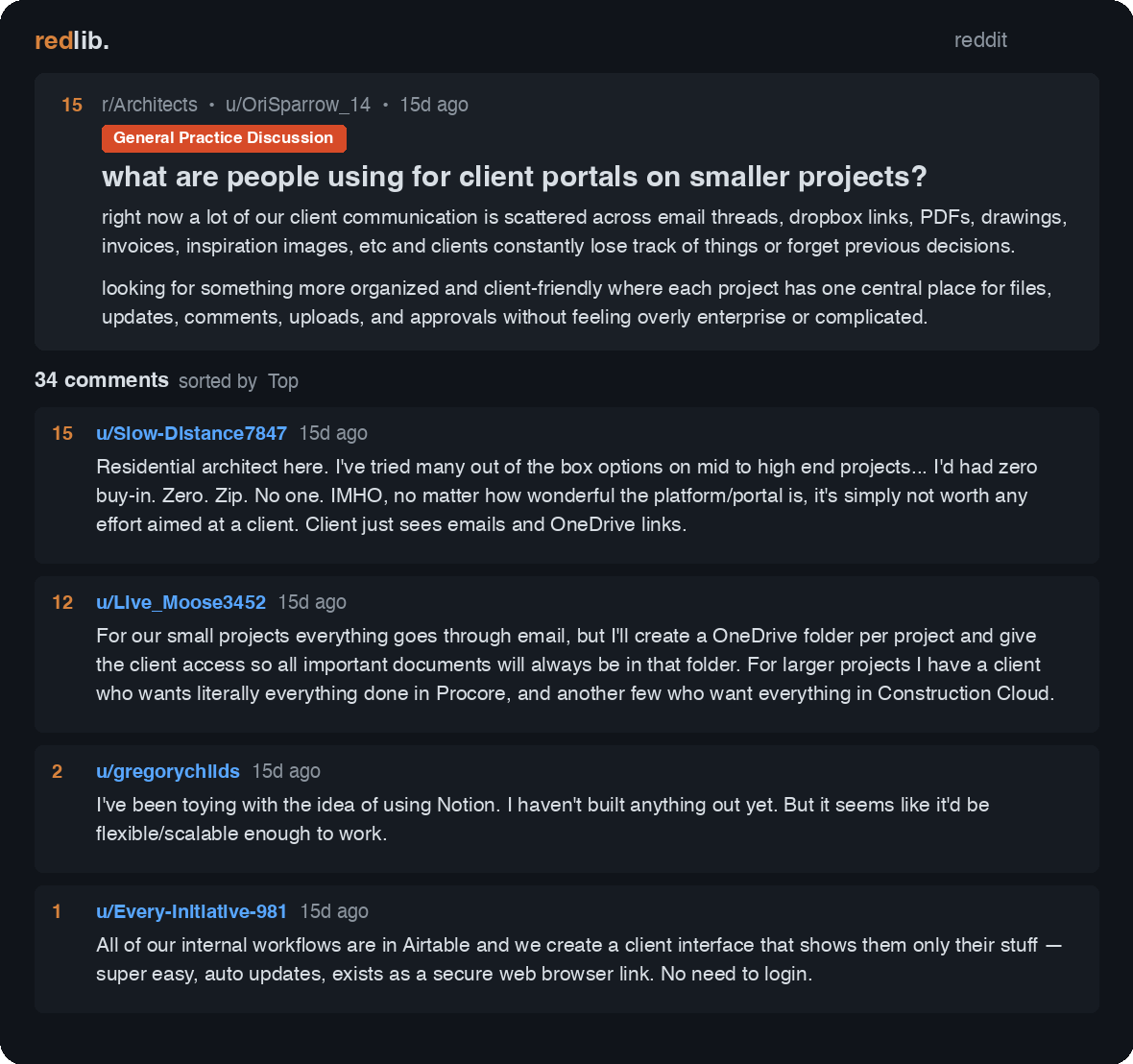
If you cannot see who logged in last, you cannot tell whether the portal is working. Prioritize tools that show client login activity, and put the one thing clients must have (the invoice, the deliverable, the approval button) behind the login so they have a reason to open it.
The fix is structural, not cosmetic: pick the tool your clients will open, then give them a reason to keep opening it. Anything else is a filing cabinet with a subscription.
White-label is vanity until the portal is the client's primary touchpoint
The white-label upsell (custom domain, your logo, hide the vendor) is the single most over-weighted line item in every roundup, and it is priced like it matters.
It only matters if the client spends enough time inside the portal to form a brand impression there. A client who logs in twice a quarter does not notice whether the URL says yourdomain.com or suitedash.com; they notice whether the deliverable shipped and the invoice is right.
The cost of chasing white-label early is real, especially with per-user pricing. Here is what a three-person agency actually pays for a branded portal across the popular tools.
| Tool (branded portal) | Pricing model | 3-person team / month |
|---|---|---|
| Moxie Teams | Flat to 5 seats | $32 - $40 |
| SuiteDash Thrive | Flat, unlimited users | $49 |
| Plutio Pro + white-label add-on | Flat + $9 add-on | $58 |
| Bonsai Premium | Per user ($29 annual x 3) | $87 - $117 |
| Service Provider Pro (Wayfront) Base | Per-seat tier (5 users) | $99 - $129 |
| Copilot (Assembly) Professional | Per client + seats | $149 |
Pay for white-label when the portal is genuinely where the relationship lives. For an Upwork agency whose clients experience the brand through messages, calls and shared docs, that day may never come.
A portal cannot create transparency you do not already have
The pitch is that a portal builds trust and reduces churn. A portal is a window, not a generator.
If your delivery is late, your updates are vague and your reporting is thin, a portal does not fix that. It puts all of it behind glass where the client now watches the dysfunction in real time.
Agencies that churn rarely churn for lack of a portal; they churn because the work underneath was weak, and a polished portal just made the weakness more visible in real time. For the actual levers on churn, our guide to client retention strategies for agencies is more useful than any portal feature list.
Free for Upwork agencies
A portal is empty without a pipeline
GigRadar keeps your Upwork pipeline full so the portal you buy actually has clients in it. We run a real Upwork Business Manager account invited through Upwork's official flow, submit proposals under our team's supervision, and never touch your own account.
Get Your Free Agency Audit →Buy the client portal last, not first
The single biggest mistake agencies make is buying a portal to fix a back-half problem when the real constraint is the front half: a reliable flow of clients to fill it.
A portal is downstream by definition: features sit downstream of logins, logins sit downstream of delivery, and the whole portal sits downstream of pipeline. Skip the top of that stack and the rest cannot work.
a steady flow of clients (for Upwork agencies, this is your proposal engine)
work that ships on time, with clear updates
clients with a reason to open the portal
white-label, automations, the stuff roundups rank
Agencies reach for a portal when the relationship feels shaky, but a shaky relationship is almost never a tooling problem. It is usually a pipeline problem: too few clients, so every one feels existential, so you over-engineer the experience for the handful you have.
For Upwork agencies, the front half is a predictable proposal pipeline, which is exactly what we built GigRadar to run (see our guide to managing your Upwork agency account). Once the inbound is steady, most of the "we need a better portal to keep clients" anxiety turns out to be "we do not have enough clients to feel safe losing one".
If you are also rethinking how you charge those clients, the portal decision pairs naturally with value-based pricing and a sane retainer pricing model. The portal showcases the value; the pricing captures it.
How to roll out a portal clients will actually use
Once you do have the pipeline and the clients, the rollout matters more than the brand. Here is the sequence that gets clients logging in instead of emailing.
Invoices, the approval button, or the live deliverable. If the only way to get it is to log in, clients log in.
Walk the client through the portal on the kickoff call and have them complete one action while you watch. First login done.
Move approvals and files into the portal and stop answering the same requests over email. Redirect, do not nag.
If a client has not logged in for a month, that is a retention warning, not a portal failure. Treat it as a signal to call them.
Pick on value and fit, not on a feature checklist: SuiteDash for most small agencies, Copilot/Assembly when security is the gate, Wayfront for productized shops. Then make sure there is something behind that login worth opening and a pipeline filling the seats, which is where our take on compliant Upwork automation picks up.








