

🎥 2-min walkthrough: the 4 suspension types, the 5 triggers, and the appeal that actually gets approved.
TL;DR
- "Upwork account suspended" is not one thing. There are four states (restricted, blocked, hold, private) and only three are appealable. Identify yours before you write a single email.
- Automation-related suspensions rose 23% in 2025 because Upwork's detection no longer cares what your tool is called. It watches five behavioural signals and an auto-refresh extension trips them the same way a scraper does.
- Agencies get cascaded. One Business Manager's policy slip can suspend every linked profile in the same hour. The Change.org petition from May 2025 documents one agency losing five accounts in a single morning.
- Appeals approve under exactly two conditions: a mistake was made, or you have new evidence. "I've been a loyal user for 5 years" wins zero appeals. Acknowledge the policy, prove the change, end the appeal.
- Opening a second account after suspension is the one move that guarantees a permanent ban with no further appeal. Don't.
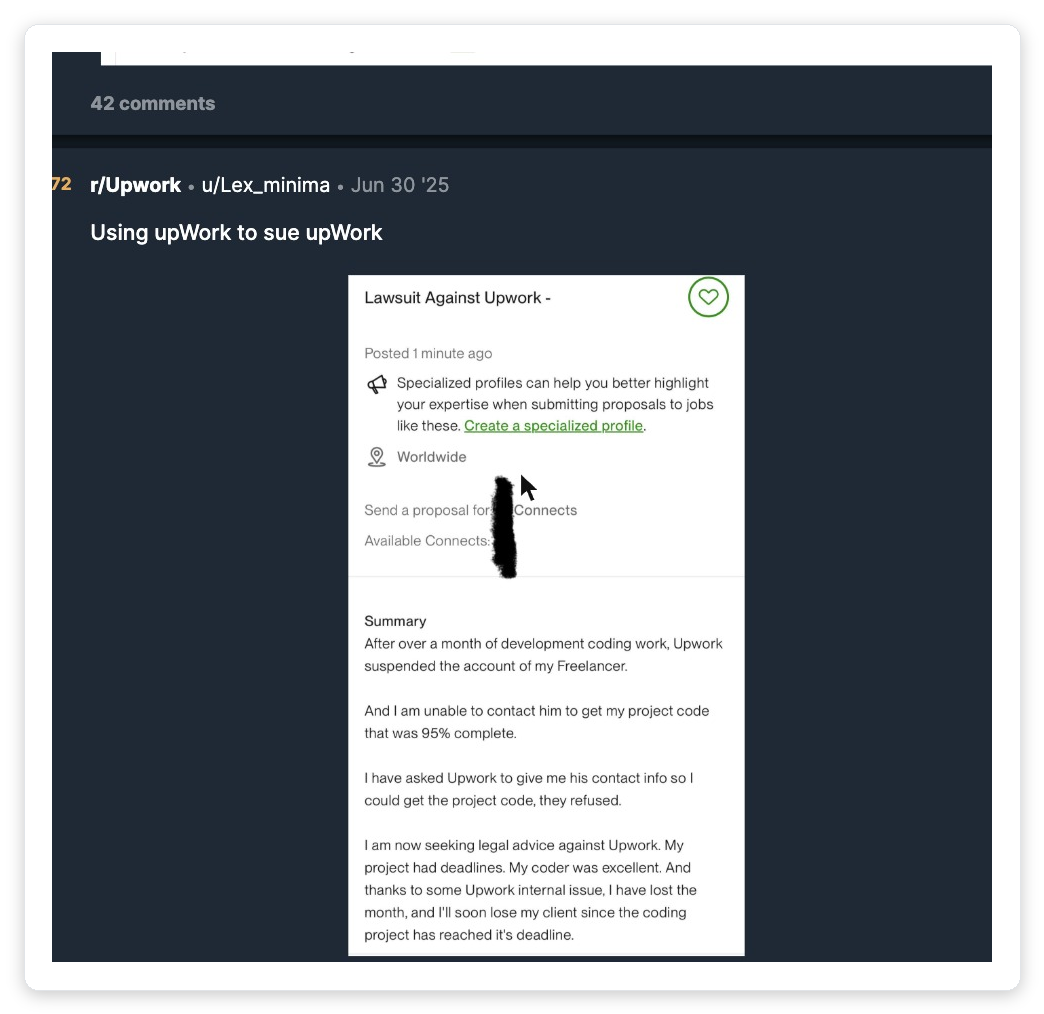
In May 2025, an agency owner woke up to five suspension emails in the same minute. The agency profile and four linked freelancer profiles were gone before he'd had coffee.
Upwork's only stated reason was "irregular activity," and three weeks of appeals didn't move it. He filed a Change.org petition instead.
If you Googled "upwork account suspended" today, you fall into one of four very different situations, and the wrong first move makes the wrong situation worse. Don't write the appeal yet.
The first thing to do is identify which state your account is actually in, which trigger fired, and what evidence will move it. The rest of this is the playbook I wish more agency owners ran before they hit Send.
"Upwork suspended my account ($200K+, Top Rated Plus)."
"I have both a freelancer profile and an agency on Upwork. Some of my contracts ended up under my freelancer profile instead of my agency profile, a pure mistake in contract UX workflow that I'm ready to fix. However, my clients always knew they were working with my team. I have written consent from every client and worked only by fixed-price contracts, exactly what Upwork's subcontracting policy requires."
"But Upwork decided I was misrepresenting myself, pretending to be a solo freelancer while operating as an agency. […] The appeal process is a nightmare, support is ignoring, and after months of submitting evidence of my innocence, I still haven't gotten a clear resolution."
Interactive Diagnostic
Suspension Recovery Triage
Answer 6 questions. Get the suspension type Upwork actually applied, your honest recovery odds, and the exact first action to take in the next 24 hours.
Question 1 of 6
Can you still log into your Upwork account?
Educational diagnostic. Not legal advice. Final outcomes are decided by Upwork's Trust & Safety team.
The 5 triggers that get agency accounts suspended in 2026
Upwork's enforcement engine is largely automated. The Trust & Safety team confirms in its own documentation that initial flags are "often resolved through self-service mechanisms before escalating to human review." Five categories produce the vast majority of agency-side suspensions.
The #1 cause of simultaneous agency suspensions. Upwork's Terms of Service allow the same person to hold separate client, freelancer, and agency accounts, but explicitly ban duplicate freelancer identities.
The detection isn't about intent. Shared browser fingerprint, household IP, timezone overlap, or screen resolution can cluster two profiles into the same enforcement case.
The circumvention rule covers a 24-month window from the start of every Upwork-introduced relationship. The Conversion Fee to legally move a client off-platform is 13.5% of the freelancer's estimated annual earnings at their top rate with that client (our Upwork fees breakdown has the full math).
Crucially, discussing off-platform contact in Upwork Messages is itself the violation. A single message naming WhatsApp, Telegram, or your team email before contract acceptance is sufficient.
Upwork doesn't maintain a public tool blacklist. It watches five behavioural signals: submission velocity, session fingerprinting, rate-limit triggers, background HTTP requests, and credential anomalies.
An "Upwork Search Enhancements" extension that just improves filter UX produces the same network signature as a scraper. We covered the full five-signal detection model and the safe-versus-banned patterns separately.
Identity reverification can be requested unexpectedly, even on accounts that already hold the Identity Verified badge. Names must match exactly across ID, withdrawal method, and tax form.
During the verification window, active proposals are deleted and Connects are not refunded. For agencies, the cycle runs on every Business Manager independently, so one stale verification can stall every active proposal on the team.
Inflated credentials, portfolio items not made by your team, undisclosed AI-generated content, fake reviews, or letting another person operate the account: Upwork's core policies are explicit on each.
Sharing login credentials with a virtual assistant or offshore contractor (even with good intent) is treated as account sharing. Upwork's behavioural detection picks up the typing-cadence and timezone inconsistencies that follow.
The 4 things Upwork calls "suspended", and why the difference matters
"Suspended" is a loose word the platform applies to four distinct enforcement states. Each has a different cause, a different appeal path, and a different realistic recovery timeline.
Confusing them is the most common reason an appeal stalls in queue. A voluntary closure is a fifth state entirely, with its own irreversible path: see how account deletion differs from suspension.
| State | What you see | Typical trigger | Recovery path | Timeline |
|---|---|---|---|---|
| Temporary restriction | Can log in. Banner names the issue. Some features disabled. | ID reverification, expiring card, first-offence policy flag | Self-service from the banner, or appeal from the in-account ticket | 24–48 hours |
| Account hold | Can work, can't withdraw funds. Banner cites a payment-side issue. | Card expiring, withdrawal method failure | Update payment in Settings → Billing & Payments | Hours – a few days |
| Profile changed to private | Account works, but profile invisible in search. Help-center reference. | Prolonged inactivity, no earnings activity for an extended window | Resume real activity (apply, accept an invite). Setting auto-reverts. | Within days |
| Account blocked | Cannot log in at all. Communication is email-only. | Circumvention, automation pattern, duplicate accounts, severe TOS breach | Reply to the suspension email, or use the official appeal form | 2 business days minimum; often weeks |
If your suspension is tied to client-feedback concerns, Upwork imposes a mandatory six-month wait before an appeal is even eligible (official appeal documentation). Submitting earlier creates duplicate cases that only slow the review.
Your first 24 hours after the email lands
Most agency owners burn the first day doing the wrong thing: composing a long defensive email, opening a second account "just to keep working," or moving an active client to email. Each of those compounds the case, so run this sequence instead.
Open both inbox and spam. Find the exact policy phrase or article reference Upwork cites.
If the language is vague ("irregular activity", "policy violation"), the appeal needs to ask for specificity. If a clause is named (circumvention, automation, identity), the appeal addresses that clause and nothing else.
Across the team, uninstall every browser extension that touches Upwork. Disable any auto-refresh, alerting, or scraping setup, then take dated screenshots showing the extensions removed.
If the suspension was automation-related, this evidence becomes the "new relevant information" the appeal needs.
One PDF, not ten attachments. Reviewers spend minutes per appeal, so bury them in attachments and you slow your own case down.
- Page 1. Government ID.
- Page 2. Latest payment-method screenshot with masked digits.
- Page 3. A clean Upwork Messages log from one recent successful contract showing every conversation stayed on-platform.
- Page 4 (if applicable). Screenshot of the removed extensions, with a timestamp.
- Page 5. A one-page "going forward" plan describing the workflow change.
Acknowledge the cited policy, briefly explain context if there's a genuine mistake, state the concrete change, end. No life story, no "valued contributor" preamble, no defensive tone.
Reply directly to the suspension email if you can. Upwork's own documentation calls this the fastest channel.
If you can still log in (restricted, not blocked), use Upwork Messages only to tell each active client there's a temporary access issue and that you'll continue on-platform.
Do not move any conversation to email or WhatsApp during a suspension. That single move turns a recoverable case into a permanent one.
Reviews take a minimum of two business days, and the Appeals Tracker shows status for logged-in users.
Resist the urge to "follow up" by opening a second ticket. Each duplicate forks the case across reviewers, and one polite follow-up every 3–4 days is the ceiling.
The appeal that actually gets approved
Upwork's Trust & Safety team states the rule plainly in their own help article: appeals approve under exactly two conditions, either a mistake was made or you provide new, relevant information that materially changes the original finding.
Disagreement alone does not move a case.
The template below works because it acknowledges the policy by name, provides the new information in one paragraph, and commits to the workflow change without padding.
Appeal email template
Subject: Appeal: Account Suspension [Your Account ID or registered email]

Trust & Safety Team,

I am appealing the suspension of [Account ID / email] dated [date].
The cited concern is [exact policy phrase or article reference from
the email].

[ONE paragraph: what changed.]
Example A (automation): I have removed the [extension/script name] from
every team device. Screenshots attached (Page 4 of the PDF). The team
no longer uses any third-party tool that interacts with Upwork.

Example B (verification): The withdrawal-method name has been updated
to match the profile and government ID exactly (attached). The mismatch
was an administrative error from when [context].

Example C (circumvention): The message in question on [date] mentioned
[channel] before a contract started. That conversation has been kept
on Upwork since. Our team policy is now that no external channel is
named in Messages until after contract acceptance.

Going forward, [one-sentence workflow change].

I have not opened any other Upwork account and will not until this
appeal is reviewed.

[Full name]
[Account ID]
The five reasons appeals lose
- "I've been a 5-year top-rated freelancer" preamble. Trust & Safety reviews on compliance, not tenure. Tenure is not new evidence.
- No specific policy citation. If the appeal doesn't name the clause Upwork cited, the reviewer can't match it to the open ticket.
- Defensive tone. "Your system is wrong" sets up an adversarial review. Problem-solving tone unlocks them.
- Duplicate tickets. Multiple appeals fork the case across reviewers. Pick one channel and stay there.
- Opening a new account. Single fastest path to a permanent block on both accounts with no further appeal. Don't.
After the appeal, rebuild it safely
Get your outbound off the pattern that triggered the flag
GigRadar operates a real Upwork Business Manager account that your agency invites through Upwork's own invitation flow. Proposals submit from our BM under our team's supervision, so a review lands on our profile and never touches your agency account.
Get your free compliance auditWhy agencies get hit harder than freelancers
A single freelancer who triggers a suspension loses one account. An agency that triggers the same flag can lose every linked profile in the same hour, because Upwork's enforcement treats Business Manager actions as agency actions and shared infrastructure as a clustering signal. The controls that keep that cluster clean are covered in our guide to compliance and security for Upwork agencies.
Agency-only risk #1
Business Manager cascadeA Business Manager on your agency holds bid and message permissions. If that BM violates a policy, Upwork's enforcement does not distinguish between the BM and the agency, so the whole organisation flags.
Agency-only risk #2
Shared-infrastructure clusteringTwo freelancers on your team in the same office, behind the same VPN or office Wi-Fi, are at a higher clustering risk than two random Upwork accounts. The same fingerprinting that detects duplicate accounts also clusters legitimate-but-overlapping ones.
Agency-only risk #3
Verification multipliedEach BM and the agency owner each carry their own identity-verification cycle. One stale reverification on one team member can pause every active proposal on the agency for the duration.
The May 2025 petition cited at the top of this article documents five linked agency accounts suspended simultaneously, with the only stated reason being the phrase "irregular activity." Twenty-three signed appeals over three weeks were rejected. This is the agency cascade in production.
What "TOS-safe" looks like for agencies in 2026
The most common rebuild question after a suspension is: how do we scale outbound at all without tripping Upwork's automation detection? The answer is not "do everything by hand."
If you are rebuilding from scratch, get the account structure right first. Our walkthrough on setting up an Upwork agency account covers the roles and permissions that decide who is liable when a flag lands.
It's to understand which architectural patterns Upwork's Trust & Safety team treats as legitimate, and which it does not. Two compliant architectures exist.
The first is filter-and-draft. A tool ranks jobs and pre-drafts proposals, but a human freelancer hits Submit inside their own logged-in Upwork session.
Browser extensions and scrapers that touch the Upwork DOM are not filter-and-draft, even when the vendor markets them that way. They trip the automation pattern detection regardless of branding.
The second is the Business Manager model. The agency invites a real, human-staffed Upwork account through Upwork's official Business Manager invitation flow, the same mechanism used to onboard any hired bidder.
Submissions are made from that BM account under its own login. The agency's freelancer accounts are never touched, no extensions are installed, no scraping happens, and if Upwork reviews a submission the review lands on the BM profile.
GigRadar operates the second model. We run our own Upwork Business Manager that your agency invites through Upwork's native invitation system.
Proposals submit from our BM under our team's supervision, with human review on every submission. Your freelancer accounts stay untouched.
We covered the exact compliance boundary in a separate piece, and broke down why "tool name" detection isn't how Upwork works elsewhere. For the API-side context, the Upwork API piece explains what is and isn't possible programmatically.
If a vendor asks for your Upwork login, asks you to install a browser extension, or asks you to run their script in your own Upwork tab, that's not TOS-safe regardless of how the marketing reads. The five behavioural signals fire on session activity, not on whose name is on the bill.
Stop guessing whether your stack is suspension-safe
For Upwork agencies
A Business Manager that submits proposals for you: without touching your freelancer accounts
No extensions. No scrapers. No shared logins. Our Upwork BM joins your agency through the official invite flow and runs your outbound on its own profile. We'll audit your current setup for compliance risk on the call.
Get your free agency audit →Frequently asked questions
Upwork commits to a minimum of 2 business days. Restricted accounts often resolve in 24–48 hours once the listed action is complete.
Blocked accounts can take 1–3 weeks for complex cases. Appeals tied to client-feedback concerns are subject to a mandatory 6-month wait before they are even eligible.
No, and this is the single most damaging mistake an agency can make. Upwork's TOS explicitly prohibits opening a new account during or after suspension.
Doing so triggers immediate termination of both accounts with no further appeal, and Upwork's fingerprinting links them within hours.
It depends on the state. If the agency is restricted (logged-in access still works), individual freelancers can usually fulfill existing contracts but cannot accept new ones.
If the agency or individual profile is fully blocked, all platform access is paused, including project files, messages, and time-tracker logs.
"Irregular activity" is a generic label Upwork's automated systems apply when multiple signals fire and the violation category isn't cleanly singular. Common combinations: shared device fingerprint plus a flagged extension, or one off-platform-contact message plus a payment-method mismatch.
The appeal should ask Upwork to specify the policy clause cited, and offer evidence against the most likely combinations.
If the account is permanently suspended, available balances and escrowed funds are typically refunded to the client (the original billing source), not paid out to the freelancer. This is one of the highest-stakes consequences of a permanent ban and is why moving fast on temporary restrictions matters.
No. GigRadar runs as an Upwork Business Manager invited into your agency through Upwork's official invitation flow, and proposals submit from our BM under our team's supervision, not from your freelancer accounts.
We do not provide a browser extension, ask for your login, or run scripts inside your Upwork tab. The five behavioural signals Upwork's Trust & Safety team monitors fire on session activity, and no GigRadar session activity occurs inside your accounts.








